 VedaWatch
Comparisons
Bevel app alternative: what to compare before you switch
Looking for a Bevel app alternative? See what Bevel includes free and in Pro, the 8 things to compare, and how Athlytic and VedaWatch differ on Apple Watch.
By VedaWatch editorial team · · 11 min read
The short answer
There's no single best Bevel alternative; it depends on what you'd change. Athlytic is a cheaper, recovery-focused Apple Watch app. VedaWatch is Apple Watch only, adds Daily Charge, Sleep Bank, guided strength and training-day nutrition targets, and puts its AI coach in a lower-priced Pro. Bevel remains the broader pick for food logging and non-Apple wearables.
What is the best Bevel app alternative?
Bevel is an iPhone app that turns wearable data into daily Recovery, Sleep, Strain and Stress scores, and adds food logging, a strength trainer and an AI coach called Bevel Intelligence. It is free to download, and most of its tracking stays free. So the right alternative depends on why you want to leave, not on which app has the longest feature list.
If you mainly want a recovery score and a training target at a lower subscription price, Athlytic is the closest like-for-like Apple Watch app. If you want readiness plus energy, sleep debt, guided strength sessions, training-day nutrition targets and an AI coach that works from your own Apple Health data, VedaWatch is one option built for exactly that. If you log a lot of food with barcodes and photos, or you wear an Oura ring or a Garmin, Bevel may still be the better fit, and that is worth saying up front.
All of the competitor details below were checked on each company's own website, help center or App Store listing as of November 2026. Features and prices change often, so confirm them before you subscribe.
What does the Bevel app do?
According to Bevel's App Store listing and help center (as of November 2026), the app covers these areas:
How Bevel is priced matters for any comparison. Its help center says the Free plan includes Recovery, Sleep, Strain, Stress, Energy Bank, Nutrition Tracking, Strength Builder, fitness tracking with training load and personal records, Journal, Cycle Tracking, Smart Alarm, and the Apple Watch app and widgets. Bevel Pro adds Bevel Intelligence, Health Records, Biological Age, Training Plans and Family Sharing. On the US App Store, Bevel Pro is listed at $14.99 a month or $99.99 a year, and extra Bevel Intelligence credits are sold separately, starting at $4.99 for 350. The help center says Pro includes a weekly AI allowance that resets every 7 days, and that coach messages and daily check-ins count against it, while AI food logging does not.
Bevel also says its Free plan is free forever and that it won't move existing free features behind a paywall. That is a meaningful commitment, and it means a free alternative only beats Bevel if it does something Bevel doesn't, or does it in a way that suits you better.
- Recovery: a daily Recovery Score for how ready your body is.
- Sleep: a Sleep Score built from sleep stages, duration and interruptions, sleep need estimates, and a smart alarm that aims to wake you in lighter sleep.
- Strain: a daily exertion score, with targets personalized from your sleep and recovery.
- Stress and Energy Bank: a stress score through the day, and a combined energy metric built from recovery, sleep, strain and stress.
- Nutrition: food logging by barcode, photo, recipe or text description, a database of more than 6 million foods, calorie and macro goals, and glucose tracking.
- Strength Builder: an exercise library, workouts synced between Apple Watch and iPhone, and routines you log yourself or have AI generate.
- Bevel Intelligence: an AI coach that answers questions from your data and can build training plans.
- Extras: Journal, Cycle Tracking, Caffeine and Water tracking, Health Records (labs and clinical notes) and Biological Age.
- Devices: Bevel's website lists Apple Watch, Oura, Garmin and Amazfit among its data sources. The app needs iOS 18 or later, and its Watch app needs watchOS 10.6 or later.
Why people look for a Bevel alternative
Because so much of Bevel is free, the reasons to switch tend to be specific rather than general. The common ones are worth naming, because each points to a different kind of app.
Cost of the AI layer. If Bevel Intelligence is the part you value, you are comparing $14.99 a month (or $99.99 a year) plus any credit top-ups against the price of another app's AI tier. If you don't use the AI at all, Bevel's free plan is hard to beat on price.
Wanting fewer scores, or different ones. Bevel shows Recovery, Sleep, Strain, Stress and Energy Bank side by side. Some people prefer one clear daily call, such as push, hold or rest, with the reasons spelled out, rather than five numbers to reconcile.
How the scores are explained. Two apps reading the same Apple Watch data can disagree, because each picks its own inputs, weights and baseline window. If you often can't tell why your score moved, an app that lists the drivers in plain words may suit you better than a more detailed one.
A different training style. Bevel's strength tool centres on logging and routines. If you would rather follow a timed, guided session with spoken cues, or a race plan that adjusts each morning, that is a different design, and it is worth testing directly.
Device setup. If you wear only an Apple Watch, Bevel's support for Oura, Garmin and other wearables doesn't help you. If you switch between devices, it is a real advantage that most Apple Watch-only apps can't match.
8 things to compare in any Bevel alternative
Use this checklist with any app you're considering, including Bevel itself. Write down what you need first, then check each candidate against it, so a long feature list doesn't decide for you.
- Data sources: does it work with the wearable you actually wear? Apple Watch-only apps read Apple Health; multi-device apps also connect to rings and other watches.
- Recovery inputs: which signals go into the score (overnight HRV, resting heart rate, sleep, wrist temperature, recent training load), and does it show you which ones moved today?
- Strain or load: is effort measured per day, per workout, or as a 7-day versus 28-day training load? A load ratio tells you whether this week is a jump from your normal; a daily score tells you how hard today was.
- Sleep: does it go beyond last night's score to sleep debt across several nights and a suggested bedtime?
- Nutrition: how do you log food (database, barcode, photo, or manual calories and macros), and do your targets change on training days?
- Strength: does it log sets and estimate a one-rep max, guide you through a session in real time, or both?
- AI coach: what does it read, what are the daily or weekly limits, and is your data shared with an AI model only after you agree?
- Price and privacy: what is free, what each paid tier costs, where your data is processed, and whether you can export or delete it.
Bevel vs Athlytic
Athlytic is the alternative most often compared with Bevel, because both turn Apple Watch data into recovery and effort scores. Its App Store listing (as of November 2026) describes a morning Recovery score from overnight HRV and resting heart rate against your own baseline, an Exertion score from 0 to 10 with a daily Target Exertion range, sleep stages, sleep debt and a nightly target bedtime, a Journal that links habits to Recovery and Sleep, and Ask Athlytic, which uses Apple Intelligence to answer questions about your data. It can also send structured workouts to the Watch.
Where they differ: Athlytic's listing describes nutrition only as energy consumed and burned plus a macros widget, not a full food tracker, and it doesn't describe a strength program. Bevel covers both in its free plan. On price, Athlytic Pro is listed at $4.99 a month or $29.99 a year on the US App Store, compared with $14.99 or $99.99 for Bevel Pro, though the two paid tiers unlock different things. Athlytic needs iOS 17 or later; Bevel needs iOS 18 or later.
In short, Athlytic suits people who want a focused recovery and exertion app at a low price. Bevel suits people who want food logging and strength in the same place. Neither one publishes independent validation of its scores, and neither is a medical device.
Will your recovery and sleep scores match after you switch?
Probably not, and that's expected. Bevel, Athlytic and VedaWatch on an Apple Watch all read the same raw measurements from Apple Health. Switching apps doesn't change what your Watch measures; it changes how those measurements are weighted, which baseline they're compared with, and how the result is scaled. A 70 in one app and a 6 out of 10 in another can describe the same morning.
The underlying sensor also has limits that no app can fix. In a 2022 sleep-lab study of six wearables, the Apple Watch Series 6 agreed with polysomnography on sleep versus wake 88% of the time, but only 53% of the time on specific sleep stages. The authors concluded the devices were valid for the timing and duration of sleep but needed improvement for staging. So treat any app's stage-based sleep score as an estimate, and give more weight to duration and consistency.
A practical way to compare: run Bevel and the alternative side by side for two weeks. Each morning, note both scores and how you actually feel, then look at which app's swings matched your real hard days, poor nights and sick days. The app that explains your bad mornings in a way you can act on is the one worth keeping.
Because Apple Watch apps read history that is already stored in Apple Health, a new app can usually build its baseline from past weeks of data rather than starting from zero. Baselines still get more reliable with consistent overnight wear.
Should you switch to a band or ring instead?
Some people searching for a Bevel alternative are really asking whether to buy a dedicated recovery band or a smart ring. That's a different decision: those products come with their own sensors, apps and memberships, and they add another device to wear and charge.
If you already wear an Apple Watch every night, it records HRV, resting heart rate and sleep stages on its own, so an app is usually the cheaper first step. If you dislike sleeping in a watch, a ring may be more comfortable. Our separate comparisons of Apple Watch with Whoop and with Oura cover those trade-offs in detail.
How VedaWatch compares with Bevel
VedaWatch is an iPhone and Apple Watch app that reads your Apple Health data. Here is how it lines up against Bevel's main areas, including where Bevel does more.
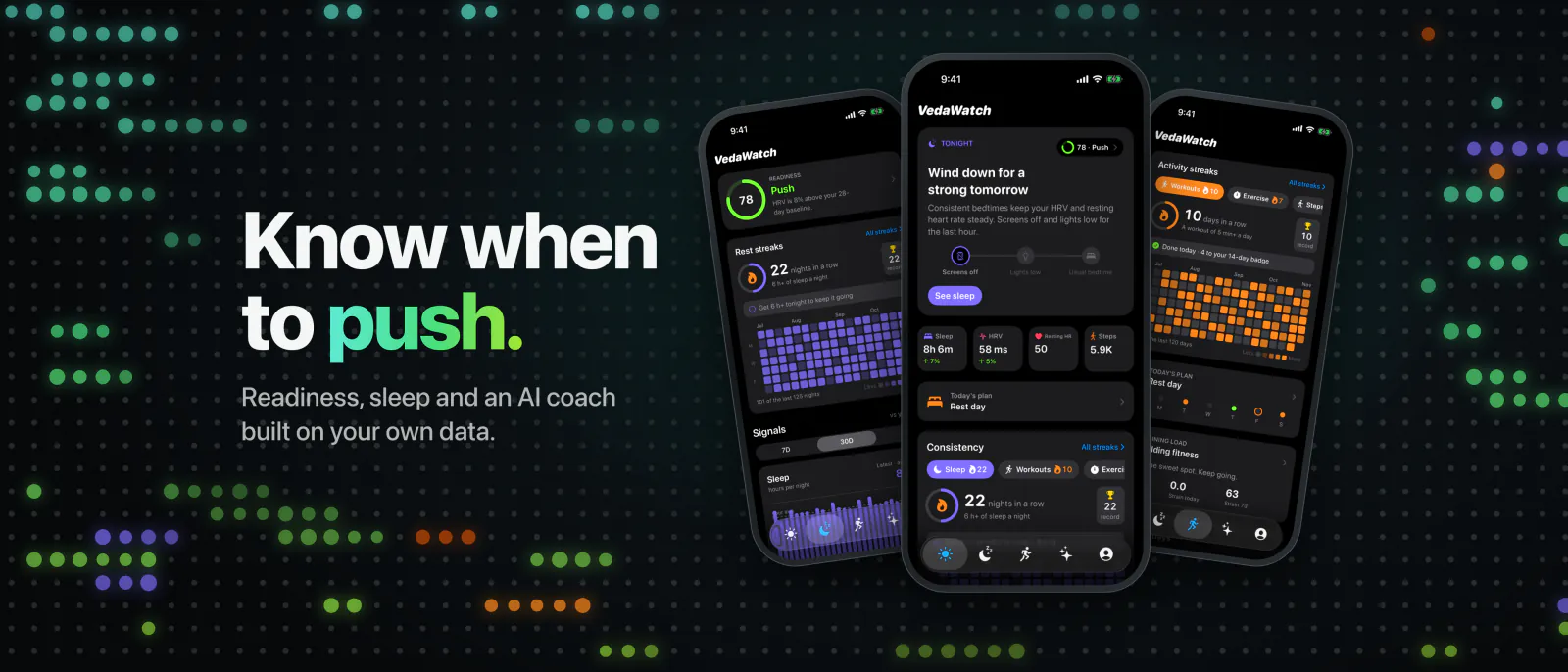
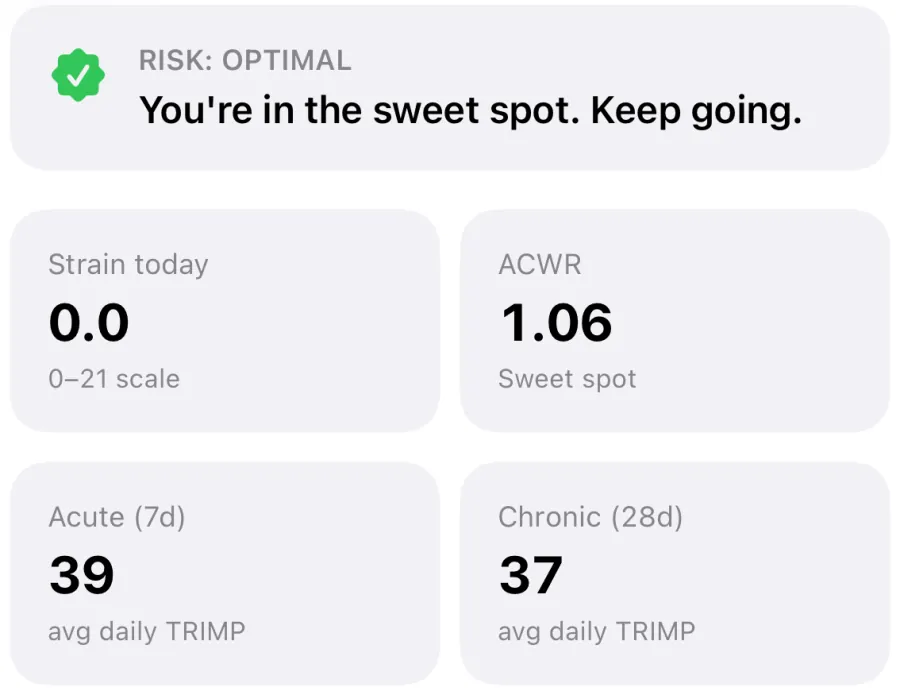
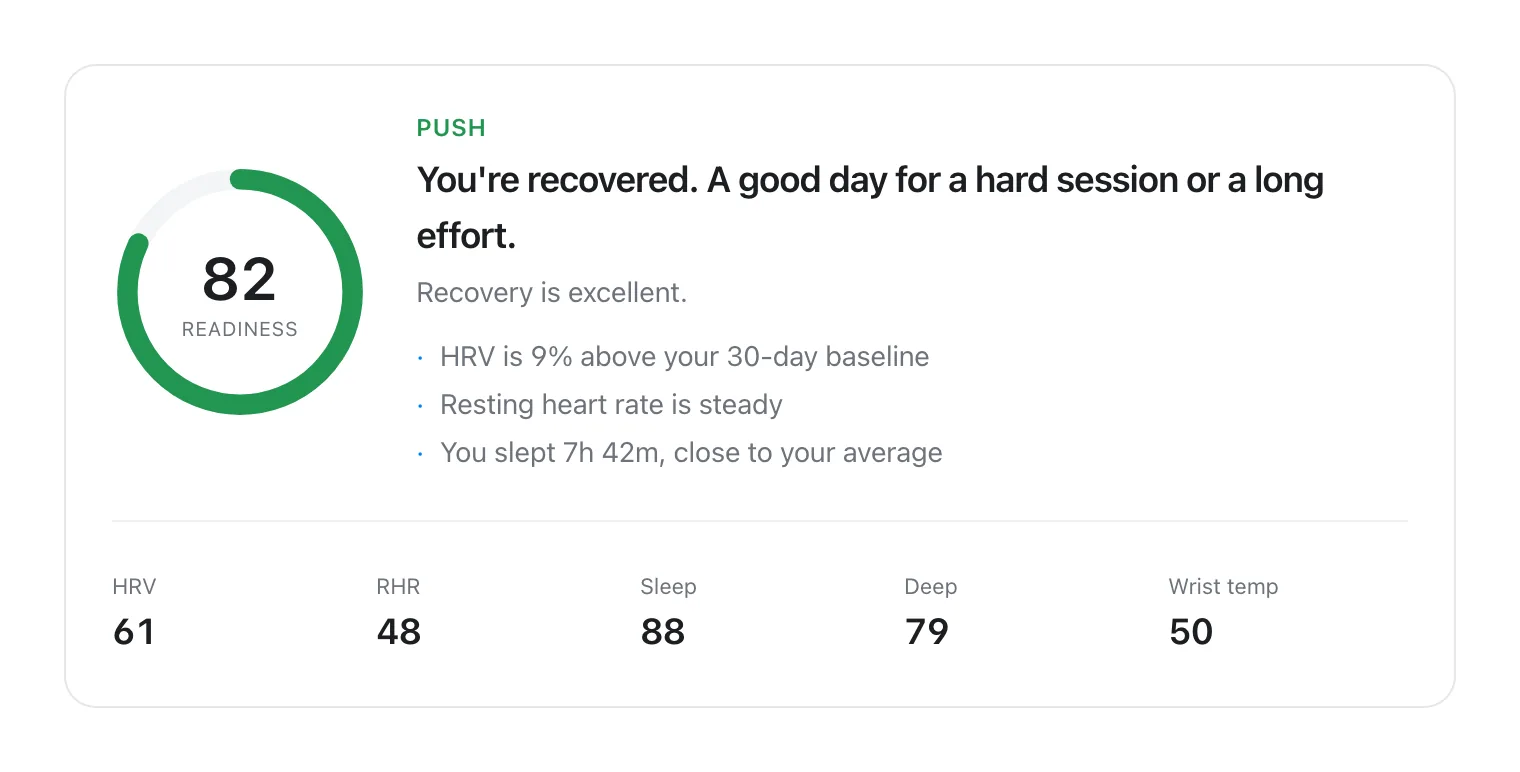
Recovery and strain. Each morning VedaWatch gives a readiness score with a push, hold or rest call and the reasons behind it, such as HRV above or below your recent baseline and resting heart rate versus your usual. Daily Charge is a 0 to 100 energy number that starts from last night's sleep and HRV and drains with time awake, workouts and a raised heart rate, which is the closest thing to Bevel's Energy Bank. Training load scores each workout with TRIMP and compares your last 7 days with your last 28, alongside a 28-day daily strain chart.
Sleep. Sleep detail shows stages and duration, and Sleep Bank adds up your last 14 nights against your sleep need and suggests a bedtime for tonight, paying debt back by no more than 45 extra minutes a night. VedaWatch doesn't have a smart alarm.
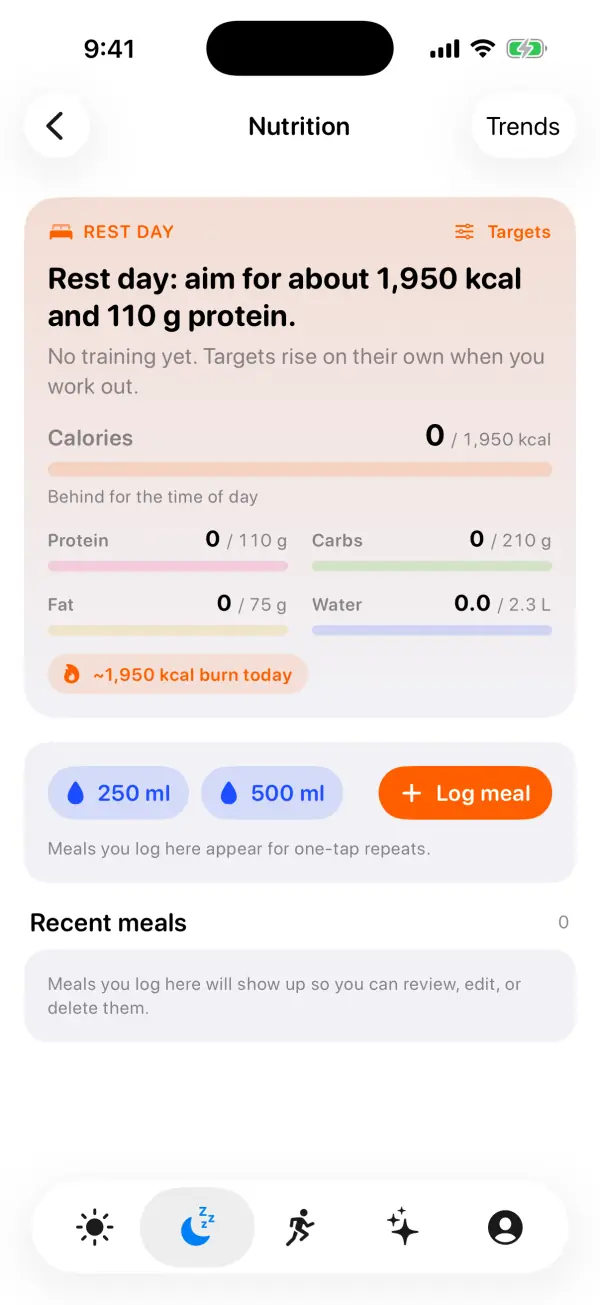
Nutrition. The Nutrition screen sets daily calorie, protein, carb, fat and water targets that rise on training days, with protein following your body weight (1.6 g per kg by default). Meals are logged by name, calories and optional macros, with one-tap repeats of your usual meals, and they're saved to Apple Health. There's no barcode scanner, photo logging or food database, so if you rely on those, Bevel is stronger here.
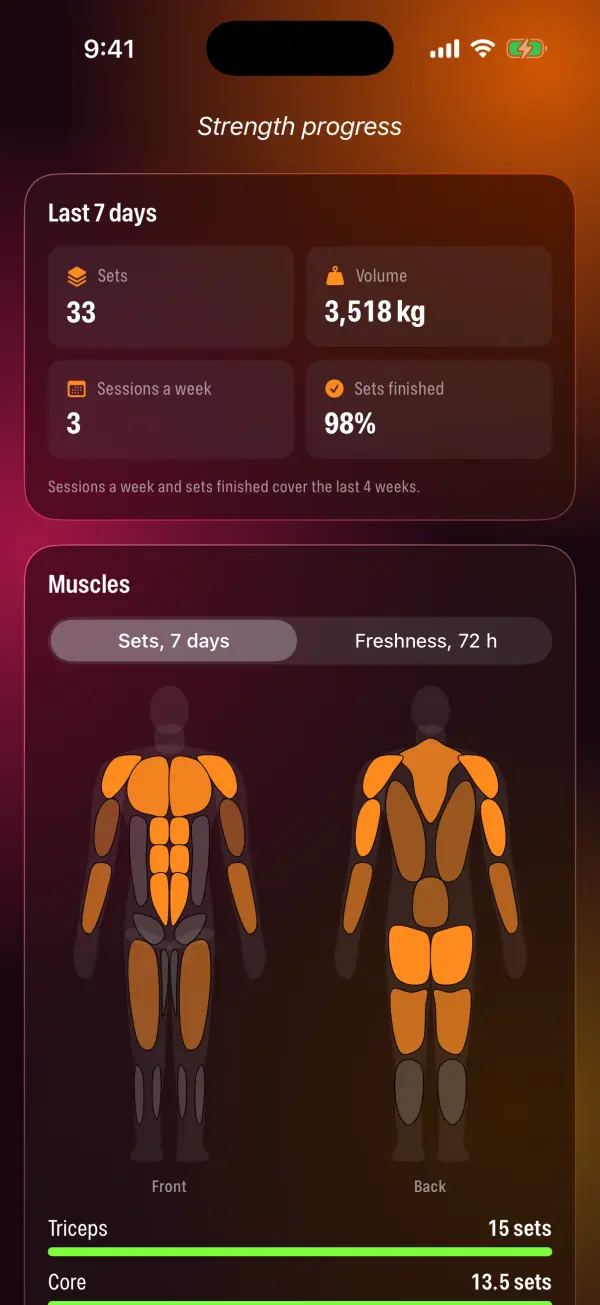
Strength. The Guided library has ready-made sessions you can start on Apple Watch or iPhone, with timers and spoken cues for every set and rest, and the Watch can count many strength reps from wrist motion. Progress shows sets per muscle, an estimated one-rep max and personal records.
AI coach and plans. The Coach tab (daily plan, chat, a 30-day analysis and weekly reports) and the readiness-adjusted training plan are part of Pro. AI stays off until you agree to share daily summaries of your health data with AI models. Pro is listed at $6.99 a month or $59.99 a year on the US App Store, with 10 chat messages a day; readiness, sleep, Daily Charge, training load, guided workouts, nutrition targets and the daily tag journal are free.
What VedaWatch doesn't do: it works only with Apple Watch, and it has no health records, biological age or cycle tracking. It's a wellness app, not a medical device.
How to switch from Bevel without losing your data
Your Apple Watch writes its measurements to Apple Health, not to Bevel, so your HRV, heart rate, sleep and workout history stays on your iPhone whichever app you use. What needs care is anything you entered inside Bevel itself.
- Before you cancel, check in Bevel's settings and help center which of your logged data (meals, journal entries, strength routines) is saved to Apple Health or can be exported.
- Install the alternative and allow Apple Health access for the data types it asks for. Without that permission it can't see your history.
- Wear your Watch to bed every night for the first two weeks so overnight HRV and resting heart rate keep flowing into the new baseline.
- Run both apps side by side for those two weeks and compare them on your real good and bad days, as described above.
- If you have Bevel Pro, cancel it in your Apple ID subscriptions on iPhone, at least 24 hours before it renews, once you've decided.
Frequently asked questions
Is Bevel free?
Bevel is free to download, and its help center lists Recovery, Sleep, Strain, Nutrition Tracking and Strength Builder in the Free plan. Bevel Pro adds the AI coach, Health Records, Biological Age and Training Plans.
Does Bevel work without an Apple Watch?
Bevel's website lists Oura, Garmin and Amazfit among its data sources as well as Apple Watch, but the app itself is for iPhone. Apple Watch-only alternatives such as Athlytic and VedaWatch need an Apple Watch for recovery and sleep scores.
Is Bevel like Whoop without the band?
That's how many people use it: Bevel offers recovery, strain and sleep scores from a watch you already wear. The scores use different methods, so don't expect them to match Whoop's numbers.
Which is more accurate, Bevel or Athlytic?
Neither publishes independent validation of its scores, and on an Apple Watch both read the same sensor data. Accuracy depends more on consistent overnight wear than on the app.
Can I use Bevel and VedaWatch at the same time?
Yes. Both read Apple Health, so running them together for a couple of weeks is a good way to see which explanations you find more useful.
Related guides
- Athlytic alternative: how other Apple Watch recovery apps compare
- Best recovery app for Apple Watch: an honest 2026 roundup
- Apple Watch vs Whoop: do you need a separate recovery band?
- Ask an AI coach about your Apple Watch data: what VedaWatch's Coach can do
- How much to eat on training vs rest days: calorie and protein targets from your Apple Watch
- Body battery on Apple Watch: how VedaWatch's Daily Charge energy score works
Sources & further reading
- Bevel: AI Health Coach (App Store listing)
- Bevel Membership & Pricing (Bevel Help Center)
- Bevel official website
- Athlytic: Fitness & Recovery (App Store listing)
- VedaWatch (App Store listing)
- Miller DJ, Sargent C, Roach GD. A Validation of Six Wearable Devices for Estimating Sleep, Heart Rate and Heart Rate Variability in Healthy Adults. Sensors, 2022
This guide is educational, not medical advice, and has not been clinically reviewed. VedaWatch is not a medical device. If you have symptoms or concerns about your heart or health, contact a qualified healthcare professional.
Put your trends in perspective.
Explore HRV, sleep, and recovery with VedaWatch on your iPhone.
Download VedaWatch on the App Store →