 VedaWatch
Recovery & Apple Watch
Apple Watch Vitals app explained: typical range and outliers
What the Apple Watch Vitals app shows, how its typical range and outliers work, why one outlier rarely matters, and what to do when several vitals are off.
By VedaWatch editorial team · · 9 min read
The short answer
The Apple Watch Vitals app shows your overnight heart rate, respiratory rate, wrist temperature, blood oxygen and sleep duration against your own typical range, learned over 7 nights of wear. One outlier is usually noise. When two or more are outside range, Apple notifies you the next morning: rest, look for a cause, and see a doctor if you feel unwell.
What is the Apple Watch Vitals app?
Vitals is a built-in Apple Watch app, introduced with watchOS 11, that gives you a one-screen summary of how your body behaved while you slept. Instead of showing raw numbers on their own, it compares each night with your own typical range and marks anything unusual as an outlier.
According to Apple, the overnight view covers five metrics: heart rate, respiratory rate, wrist temperature, blood oxygen and sleep duration. On Apple Watch Series 12 and Apple Watch Ultra 4, heart rate variability (HRV) takes the place of sleep duration overnight, and there is also a daytime view with resting heart rate and HRV.
The point of Vitals isn't any single reading. It's the pattern. Apple says that when two or more metrics are out of their typical range, you can get a notification the next morning with a message about what may be linked to the change, such as elevation, alcohol or illness. Apple developed the out-of-range algorithm using real-world data from its Apple Heart and Movement Study, and it states plainly that Vitals measurements are not intended for medical use.
The five overnight metrics, one by one
Each metric reacts to different things, so it helps to know what each one is and what usually moves it. Here's what you're looking at when you turn the Digital Crown in Vitals.
- Heart rate: your average heart rate during sleep. It tends to rise after alcohol, a late heavy meal, a hard evening workout, a hot bedroom or when you're fighting something off.
- Respiratory rate: breaths per minute while you sleep. It's one of the steadiest numbers your body produces. In a study of 25,000 people wearing a wrist strap, the typical night-to-night variation within one person was only about 0.5 breaths per minute, so a sustained rise stands out.
- Wrist temperature: shown as a change from your baseline, not as a body temperature. Apple says it's not a thermometer, and it needs Apple Watch Series 8 or later or an Apple Watch Ultra. Room temperature, bedding, alcohol, the menstrual cycle and illness can all move it.
- Blood oxygen: background readings taken while you're still, including during sleep when sleep tracking is on. It isn't available on Apple Watch SE, and on some US models sold from January 18, 2024 the analysis happens on iPhone, so the result appears in the Health app instead of Vitals.
- Sleep duration: how long Apple Watch recorded you asleep. A short night is the most common, and most easily explained, outlier.
- Heart rate variability (Series 12 and Ultra 4 only, in place of sleep duration): the variation between heartbeats, which tends to dip with stress, alcohol, hard training and illness.
How to set up Vitals and why it might show no data
Vitals has no switch of its own. It fills itself in from sleep tracking, so most "no data" problems are really sleep tracking problems. Apple lists these requirements and steps:
- Update your iPhone to the latest iOS and your Apple Watch to the latest watchOS.
- Set up Sleep in the Health app, with Track Sleep with Apple Watch and Sleep Focus turned on.
- Wear your watch to bed for 7 nights. That's how long Apple says it takes to establish your typical range, so the first week shows little or nothing.
- Keep the fit snug but comfortable. Apple warns that a loose watch can make the sensors capture inaccurate readings.
- Check results on the watch in the Vitals app (tap the calendar button to see the last 7 days), or on iPhone in Health under Browse, then Vitals, where you can switch between day, week, month and 6-month views.
- If notifications are off, turn them back on in Settings, then Vitals, on Apple Watch.
What "typical range" and "outlier" mean in Vitals
Your typical range is your own normal for each metric, built from your nights of wear, not a population norm. A sleeping heart rate that's perfectly ordinary for one person can be an outlier for another. That's the main strength of Vitals: it answers "is this unusual for me?" rather than "is this a healthy number?"
An outlier is a night where a metric falls outside that range, above or below. Apple doesn't publish the exact formula, so you won't see how far outside counts. What you do get on iPhone is a Metrics view, which shows how many outliers each metric had in the period you picked, and a States view, which counts the days your vitals were in a High, Typical or Low range.
Two things follow from this. First, a value can be inside your typical range and still not be ideal, and outside it without being harmful: the range describes you, not health. Second, as your habits, fitness or season change, your range will drift with you. A month of hard training or a move to a hot climate can shift what counts as typical.
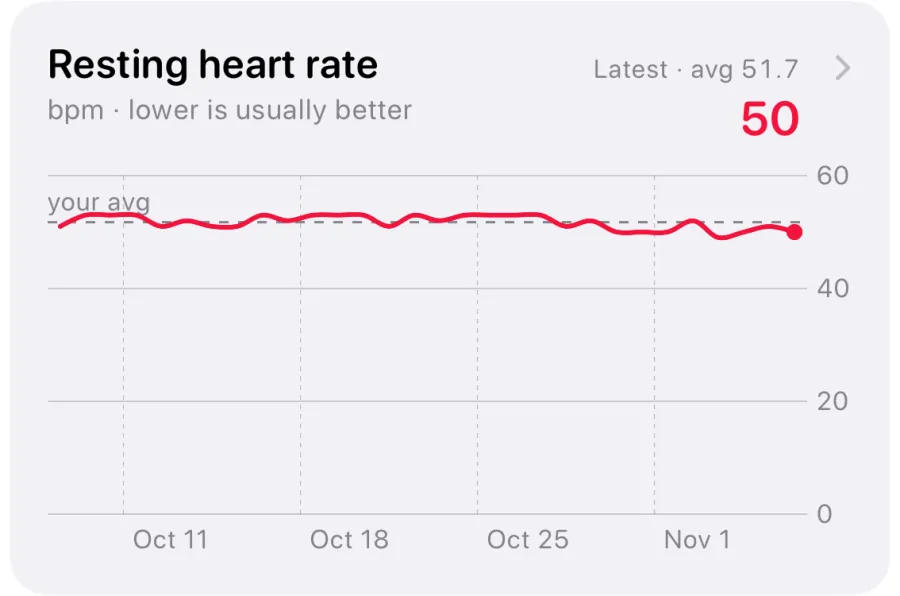
A worked example: say your sleeping heart rate usually sits in the low 50s and your respiratory rate near 14 breaths per minute. After a late dinner with wine, heart rate averages in the low 60s and respiratory rate is unchanged. That's one outlier with an obvious cause. If instead heart rate is up, respiratory rate is up by a couple of breaths and wrist temperature is higher than usual, with no wine and a normal bedroom, that's the multi-metric pattern Vitals is built to point out.
One metric out of range: common everyday causes
A single outlier on a single night is common and usually has a dull explanation. Apple itself lists medications, elevation, alcohol and illness as factors that can affect your metrics. Before worrying, run through the likely causes for the metric that moved.
- Heart rate high: alcohol, a late or large meal, an evening workout, caffeine, a warm room, stress, dehydration, or the start of an illness.
- Respiratory rate high: illness, a stuffy nose or allergies, a warm room, high altitude, or alcohol. Because it's normally so stable, a rise that lasts more than a night deserves attention.
- Wrist temperature high or low: bedding, room temperature, sleeping with your arm under a pillow, alcohol, the second half of a menstrual cycle, or a fever.
- Blood oxygen low: a loose fit or wrist position during the night, cold hands, high altitude, or a reading taken while moving. Background readings can be patchy, so one low value says little.
- Sleep duration low: a late night, early alarm, travel, or the watch not detecting sleep (for example, if it was off your wrist or the battery ran out).
- HRV low (Series 12 and Ultra 4): a hard training day, alcohol, a stressful day, a short night, or illness.
What to do when several vitals are out of range
When two or more metrics are outside your typical range on the same night, Apple sends a notification the next morning. This is the situation Vitals is designed for, because independent signals moving together are less likely to be chance. It still isn't a diagnosis: a big night out or a red-eye flight can move several metrics at once. Here's a calm way to respond.
- Open the notification or the Vitals app and note which metrics are out, and in which direction.
- Check for an obvious explanation from the evening before: alcohol, a late hard workout, travel or altitude, a new medication, a hot room, or a very short night. If one fits, it will usually settle within a night or two.
- Ask how you feel. Sore throat, aches, chills, unusual tiredness or a headache alongside raised heart rate, respiratory rate and wrist temperature is a reason to take it seriously.
- Take it easy for the day. Swap intervals or heavy lifting for a walk or rest, drink regularly and go to bed early. You lose very little by easing off for one day.
- Look again the next morning. Metrics back in range and feeling fine: carry on as normal. Still out of range two or more nights in a row, or symptoms appearing: treat it as possible illness, rest, and follow local health advice on testing.
- Get medical help promptly, whatever the watch says, if you have chest pain, shortness of breath, fainting, a racing or irregular heartbeat, confusion, or a high or lasting fever.
How accurate is the Vitals app, and what can't it tell you?
Apple describes Vitals as a wellness feature and says its measurements are not intended for medical use. Blood oxygen readings are for general fitness and wellness, and wrist temperature is not a thermometer. Accuracy also depends heavily on fit and on wearing the watch every night: missing nights make the typical range thinner and outliers less meaningful.
Research supports the idea behind Vitals while showing its limits. Studies of smartwatch data found that changes in heart rate often appeared around or before the start of COVID-19 symptoms in many infected people. But false alarms are common. In the respiratory rate study mentioned above, a model looking at nightly breathing rate flagged 80% of COVID-19-positive people by their third day of symptoms, yet also flagged 34.2% of people who tested negative at least once over a six-day window.
So read Vitals in both directions with care. Several outliers don't prove you're ill, and a quiet Vitals screen doesn't prove you're well. Many mild infections leave no clear trace, and some conditions don't affect these metrics at all. If you feel unwell, trust that over the app, and talk to a doctor about any reading that worries you or keeps repeating.
How VedaWatch helps you act on your vitals
VedaWatch reads the same overnight data your Apple Watch saves to Apple Health, so it doesn't need extra sensors. It compares last night's resting heart rate, HRV, breathing rate and wrist temperature with your normal from the 28 days before, and a reading only counts as off when it's well outside your usual spread and also past a minimum real-world change (for example 3 bpm for resting heart rate, 1 breath per minute for breathing rate and 0.3 °C for wrist temperature). That keeps steady sleepers from getting hair-trigger warnings.
When two or more of those signals are off in the strain direction, the Body under strain alert and a Body signals card on Recover show each one against your normal range, with a suggestion to keep the day easy. The narrower Early illness warning looks for a fever-like signal (wrist temperature or breathing rate up) alongside other changes, and skips nights you tagged with alcohol, sauna or travel in your daily journal. Both describe a pattern and never tell you you're ill.
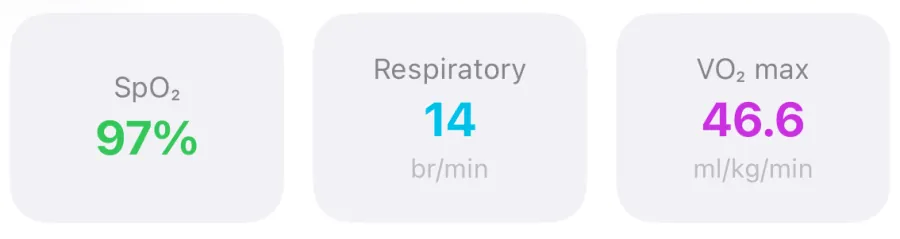
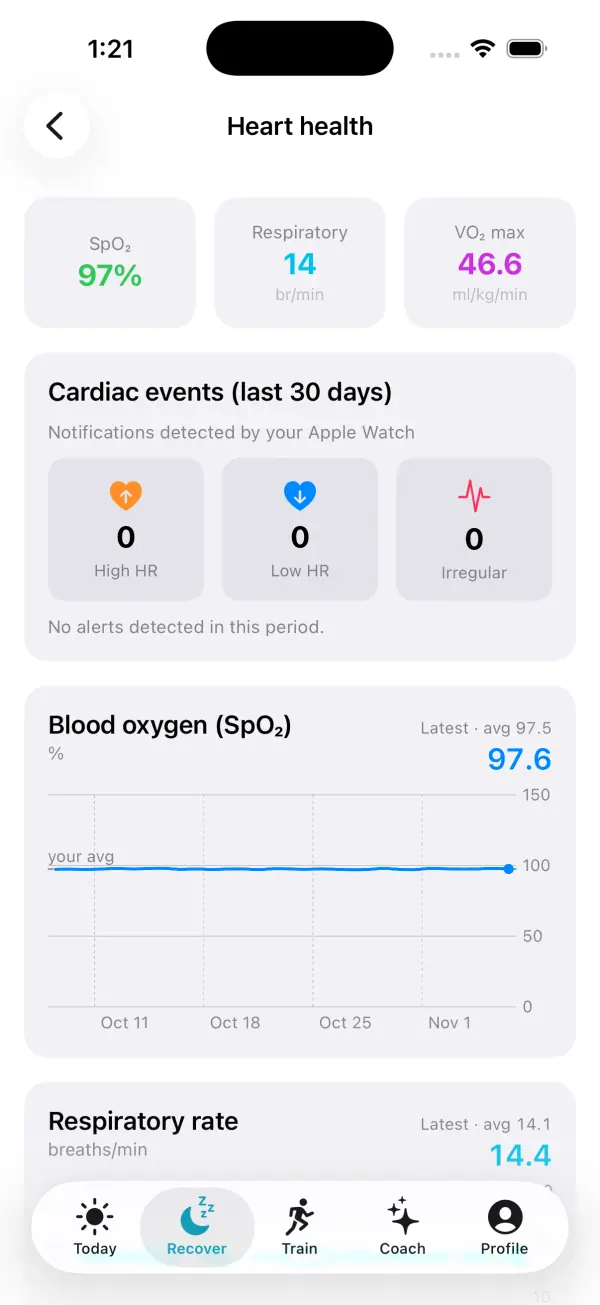
For a longer view, the Heart health screen under Recover shows blood oxygen and respiratory rate trends next to VO2 max and any high, low or irregular heart rate notifications from the last 30 days. Your readiness score then turns last night into a simple Push, Hold or Rest call for training, which is the practical next step after a morning of outliers.
Frequently asked questions
Does the Vitals app work without wearing my watch to sleep?
On most models, no. The overnight metrics come from sleep, so Vitals needs sleep tracking on and the watch on your wrist at night. Series 12 and Ultra 4 also add a daytime view.
Why do I get a Vitals notification only sometimes?
Apple only notifies you when at least two overnight metrics are outside your typical range, not for a single outlier. Most nights, even ones with one odd reading, won't trigger anything.
Can the Vitals app tell me I have COVID-19 or the flu?
No. It can show that several of your metrics changed together, which can happen early in an infection, but alcohol, travel and poor sleep can do the same. Use a test and follow health advice if you have symptoms.
Why isn't blood oxygen showing in my Vitals app?
Apple Watch SE doesn't measure blood oxygen. On some US models sold from January 18, 2024, blood oxygen results appear in the Health app on iPhone instead of in Vitals.
Should I skip my workout if Vitals shows outliers?
One outlier with a clear cause rarely needs a change of plan. Several outliers, especially with symptoms, are a good reason to swap hard training for easy movement or rest until your metrics are back in range.
Related guides
- HRV when sick: what your Apple Watch shows before symptoms
- Apple Watch wrist temperature: how it works and what changes mean
- Apple Watch health alerts: early illness warning, body strain and other smart alerts in VedaWatch
- Apple Watch blood oxygen: normal SpO2, sleep and accuracy
- Normal respiratory rate during sleep, and what Apple Watch shows
- Should you train or rest when HRV is low?
Sources & further reading
- Apple Support: Track your overnight and daytime vitals with Apple Watch
- Apple Watch User Guide: Track your vitals on Apple Watch
- Apple Newsroom (2024): watchOS 11 brings powerful health and fitness insights
- Apple Support: How to use the Blood Oxygen app on Apple Watch
- Apple Support: Track your nightly wrist temperature changes with Apple Watch
- PLOS ONE (2020): Analyzing changes in respiratory rate to predict the risk of COVID-19 infection (Miller et al.)
- Nature Biomedical Engineering (2020): Pre-symptomatic detection of COVID-19 from smartwatch data (Mishra et al.)
This guide is educational, not medical advice, and has not been clinically reviewed. VedaWatch is not a medical device. If you have symptoms or concerns about your heart or health, contact a qualified healthcare professional.
Put your trends in perspective.
Explore HRV, sleep, and recovery with VedaWatch on your iPhone.
Download VedaWatch on the App Store →