 VedaWatch
Recovery & Apple Watch
Apple Watch wrist temperature: how it works and what changes mean
Apple Watch measures your wrist temperature overnight and shows how far each night is from your own baseline. Here's which watches support it, how to set it up, where to find it, and how to read a change without overreacting.
By VedaWatch editorial team · · 6 min read
The short answer
Wrist temperature is a nightly change from your personal baseline, not your body temperature, and it can't check you for a fever. It needs Series 8 or later, any Ultra, or SE 3, with Sleep Focus on for at least four hours a night for about five nights. A change that lasts several nights, alongside other signals, means more than one odd night.
What wrist temperature on Apple Watch measures
Apple Watch uses temperature sensors to sample your wrist temperature while you sleep, then compares each night's reading with your personal baseline. Apple Health shows the result as a change, such as +0.3 °C or −0.2 °F, rather than a temperature reading like 36.8 °C.
That design is deliberate. Skin temperature at the wrist depends on the room, your bedding, and blood flow to your hands, so a single absolute number wouldn't say much. A shift away from your usual nightly pattern is far more useful. It also means wrist temperature is not a thermometer: it can't tell you whether you have a fever right now.
Which Apple Watch models support it, and what setup it needs
Wrist temperature is available on Apple Watch Series 8 and later, every Apple Watch Ultra, and Apple Watch SE 3. Older models, including earlier SE watches, don't have the sensors.
Readings are collected only while Sleep Focus is on, and Apple needs at least four hours of tracked sleep a night. After about five nights, the watch has enough data to set your baseline. Until then, Health shows "Needs More Data" with a count of the nights left. Switching to a new Apple Watch restarts that five-night process.
- Set up a sleep schedule and Sleep Focus in the Health app on iPhone (Browse → Sleep).
- Wear your watch to bed with Sleep Focus on, for at least four hours a night.
- After about five nights, check that your baseline has formed under Body Measurements → Wrist Temperature.
Where to find your wrist temperature
There are two places to check, depending on how much detail you want.
- On iPhone: open the Health app, go to Browse → Body Measurements → Wrist Temperature, and view the chart by week, month, or longer.
- On Apple Watch: open the Vitals app to see whether last night's wrist temperature was within your typical range, next to your other overnight vitals.
- Readings appear in Celsius or Fahrenheit depending on your Health and region settings.
What makes wrist temperature go up or down
Many ordinary things move the number: a warmer or cooler bedroom, heavier bedding, alcohol in the evening, a late hard workout, travel across time zones, and a poor or disrupted night of sleep. Starting to get sick can also raise it, sometimes before you notice symptoms.
For people who menstruate, wrist temperature follows the menstrual cycle, typically running higher after ovulation. Apple's Cycle Tracking uses this pattern to give retrospective ovulation estimates on supported watches. Those estimates are a look back at your cycle, not a fertility test or a form of birth control.
How to read a change without overreacting
One warm night by itself usually means a warm room or a glass of wine, not that something is wrong. Look for changes that last several nights in a row, and check whether other signals moved with it: a higher resting heart rate, lower HRV, or worse sleep.
If wrist temperature is up for a few nights, your resting heart rate is up too, and you feel run-down, an easier day may be sensible. If you feel unwell, use a real thermometer and get medical advice as you normally would. The watch can't confirm or rule out illness.
Common questions about Apple Watch wrist temperature
Can Apple Watch check if I have a fever? No. It shows how your overnight wrist temperature compares with your own baseline. It doesn't measure core body temperature and doesn't take readings on demand.
Why is my wrist temperature missing? The most common reasons are that Sleep Focus wasn't on, you slept less than four tracked hours, your watch doesn't support the feature, or your baseline is still forming after a new watch.
Why don't I get a reading during the day? Apple collects wrist temperature overnight, when conditions are steadier, rather than throughout the day.
Track wrist temperature alongside recovery in VedaWatch
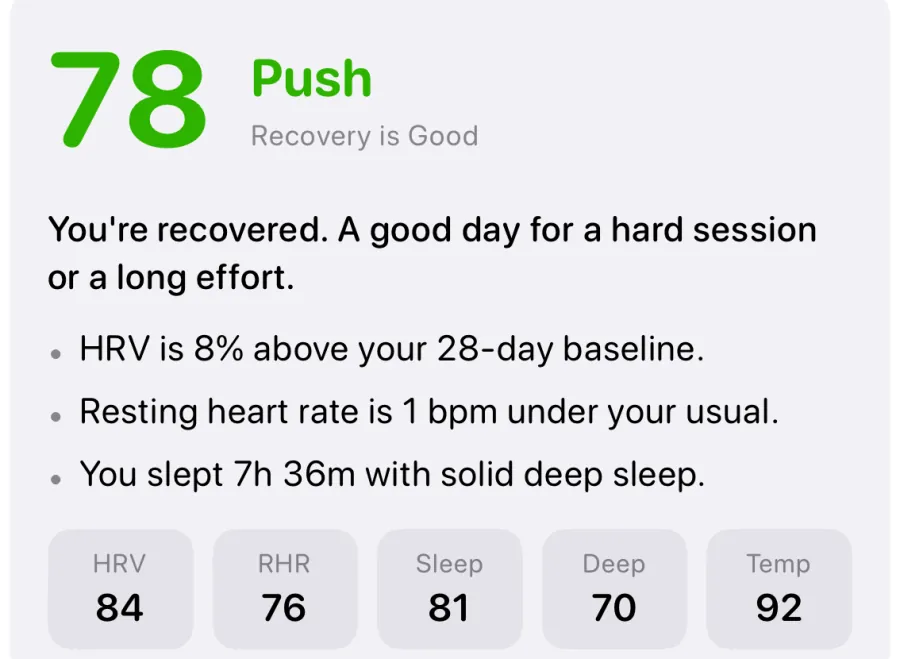
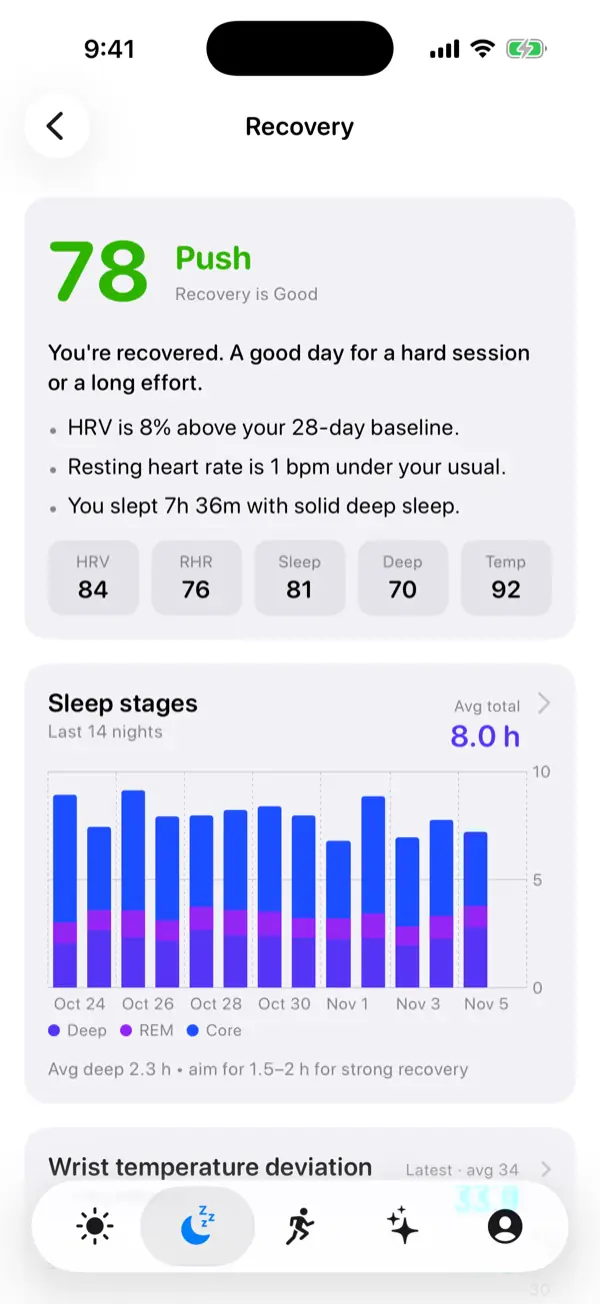
VedaWatch's Wrist temperature screen charts your nightly change from baseline over time, with a per-night breakdown, so you can tell a lasting shift from a one-night blip. Wrist temperature also feeds VedaWatch's recovery score alongside HRV, resting heart rate, and sleep.
With permission, VedaWatch reads the wrist temperature your watch has already written to Apple Health. It can't create readings for nights the watch didn't track or for models without the sensor.
Sources & further reading
- Apple Support: Track your nightly wrist temperature changes with Apple Watch
- Apple Watch User Guide: Track your nightly wrist temperature on Apple Watch
- Apple Watch User Guide: Receive retrospective ovulation estimates on Apple Watch
- Apple Support: Track your overnight and daytime vitals
This guide is educational, not medical advice, and has not been clinically reviewed. VedaWatch is not a medical device. If you have symptoms or concerns about your heart or health, contact a qualified healthcare professional.
Put your trends in perspective.
Explore HRV, sleep, and recovery with VedaWatch on your iPhone.
Download VedaWatch on the App Store →