 VedaWatch
AI & Health Data
What is MCP? Model Context Protocol for your health data
What is MCP? A plain-English guide to the Model Context Protocol, connectors in Claude and ChatGPT, OAuth sign-in, read-only access and risks for health data.
By VedaWatch editorial team · · 9 min read
The short answer
MCP (Model Context Protocol) is an open standard that lets AI assistants like Claude and ChatGPT connect to outside apps through "servers" that offer tools. For health data, a connector lets the assistant look up your sleep, workouts or HRV when you ask. You approve access with an OAuth sign-in, and a well-built server can keep it read-only.
What is MCP, in plain English?
MCP stands for Model Context Protocol. It's an open standard for connecting AI applications to outside systems: files, databases, business tools and, increasingly, personal apps such as fitness and health trackers. Anthropic introduced it and open-sourced it in November 2024, and today assistants including Claude and ChatGPT, plus developer tools like Visual Studio Code and Cursor, support it.
The official documentation compares MCP to a USB-C port for AI. Before USB-C, every device needed its own cable. Before MCP, every AI assistant needed its own custom integration for every app. With MCP, an app builds one "server" and any assistant that speaks the protocol can plug into it.
For health data, that means a question like "How did my sleep change on the weeks I trained more?" no longer requires you to export a spreadsheet and paste it into a chat. If the app that holds your data offers an MCP server, the assistant can look the numbers up itself, but only after you've connected it and approved access.
How MCP works: hosts, clients, servers and tools
MCP has three roles. The host is the AI application you talk to, such as Claude or ChatGPT. Inside it, an MCP client keeps a connection open to one MCP server. The server is the program run by the app that holds the data, and it describes what it can do as a list of tools.
A tool is a named function with a short description and a defined set of inputs, for example "get_sleep" that takes a number of nights. Servers can also offer resources (data to read) and prompts (ready-made templates), but tools are what you'll mostly meet in consumer connectors.
Servers can run locally on your own computer or remotely on the internet. Local servers are mostly for developers. The connectors you add in Claude or ChatGPT by pasting a web address are remote servers, reached over HTTPS.
Here is what happens, step by step, when you ask a connected assistant a health question.
- You ask: "How much deep sleep did I get this week compared with last week?"
- The assistant checks the tools its connected servers offer and sees one that returns nightly sleep.
- It calls that tool with an input such as "14 nights". The request travels to the app's MCP server along with an access token that proves you approved it.
- The server checks the token, looks up only your data, and sends back the numbers as text or structured data.
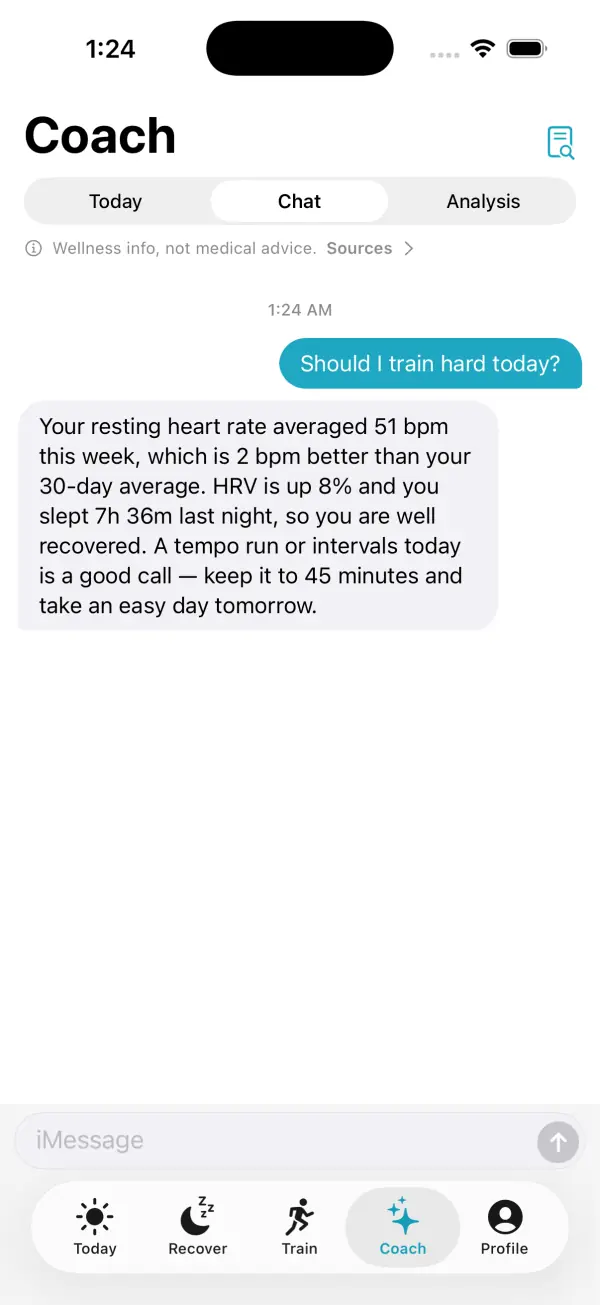
- The assistant reads the result and writes its answer in plain language. The tool result also becomes part of your conversation history with that assistant.
What are connectors in Claude and ChatGPT?
"Connector" is the word assistants use for an MCP server you've added. Some are built in and listed in a directory. Others are custom connectors: you paste a server address that an app gives you, and the assistant connects to it.
In Claude, custom connectors using remote MCP are available on Free, Pro, Max, Ultra, Team and Enterprise plans, and as of November 2026 Anthropic's help center says free users are limited to one custom connector. You add one from the Connectors settings, and remove it from the same place. Claude asks you to approve tool calls, and the help center advises choosing "Allow always" only for servers and tools you trust to run unsupervised.
In ChatGPT, custom MCP servers are added on the web, and OpenAI's developer documentation describes adding one with its address and sign-in details and accepting a risk warning. Which plans can add custom servers, and the exact menu names, have changed several times, so check OpenAI's current help pages for your plan. OpenAI also says ChatGPT asks you to confirm before any write action runs.
Google's Gemini app has been rolling out a similar option for connecting apps by address. The details differ by account and country, so the setup steps in our connection guide list the current requirements for each assistant.
How OAuth sign-in works when you connect an MCP server
A remote MCP server holding personal data has to know who is asking. The MCP specification uses OAuth for this, the same standard behind "Sign in with..." buttons. It's what lets you approve access without ever giving the assistant your password.
Under the specification, the token the assistant receives must be issued for that specific server, and the server must reject tokens meant for anything else. The assistant also has to name the server it wants a token for, which stops a token for one app being reused against another.
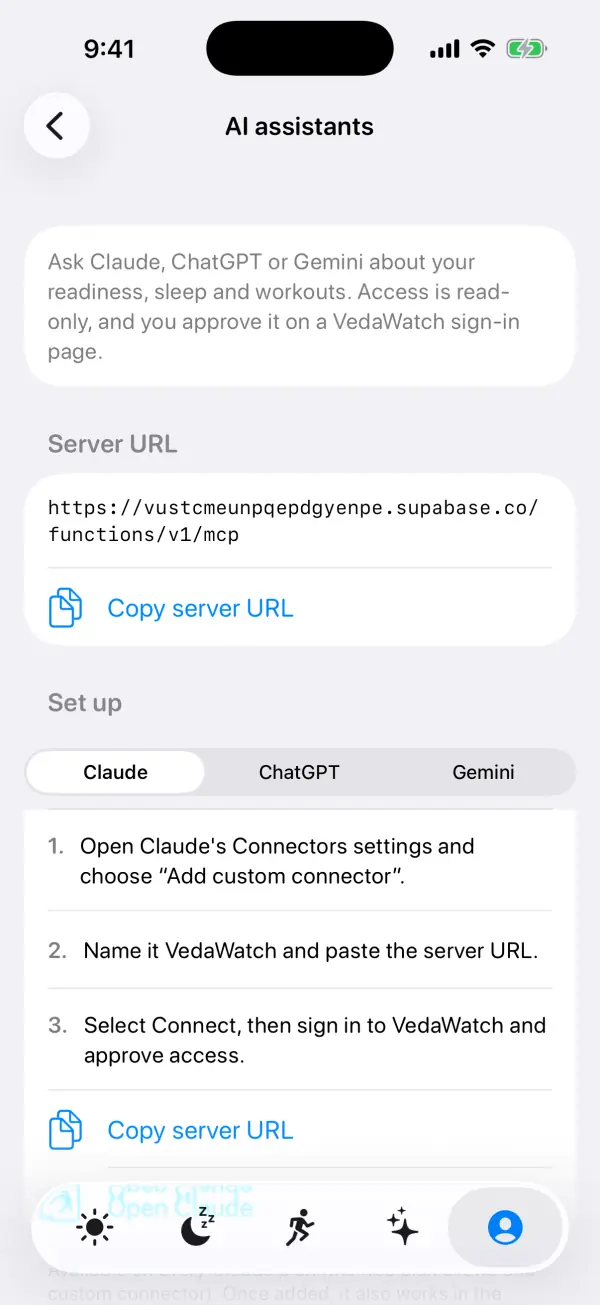
- You paste the server address into your assistant and choose Connect.
- The assistant asks the server how to sign in, and the server points it to the app's own sign-in page.
- Your browser opens that page. You sign in to the health app itself, not to the assistant, so your password never reaches the assistant.
- A consent screen names the assistant asking for access and lists what it will be able to do. This is the moment to check the account and the permissions.
- You approve. The app gives the assistant an access token tied to your account and to that server.
- Every later tool call carries that token. Removing the connector in the assistant, or revoking access in the app if it offers that, stops future calls.
What "read-only" really means for an MCP connector
A read-only connector can look things up but can't create, change or delete anything. For health data this is usually what you want: the assistant can answer "What was my resting heart rate in October?" but it can't log a fake workout, edit your journal or delete your history.
The important detail is where read-only is enforced. MCP lets a server label each tool with hints such as "read-only", but the specification tells assistants to treat those labels as untrusted unless the server itself is trusted, and OpenAI warns that a server could still perform a write even if it marks an action as read-only. A label is a description, not a lock.
Real read-only access is enforced on the server: the token the assistant holds simply doesn't have permission to write, whatever tool it calls. When you're judging a health connector, look for an app that says plainly what its token can and can't do, and that keeps any exceptions narrow and opt-in.
Is it safe to connect health data to an AI assistant?
MCP itself is a protocol, so safety depends on the server you connect, the assistant you use and the permissions you grant. These are the main risks, and what to do about each one.
Your data leaves the app. Whatever the assistant reads becomes part of your chat and is handled under the assistant's privacy policy and settings, not the health app's. Read the assistant's data controls, for example whether chats are used for model training, before connecting anything sensitive.
Untrusted servers. Anthropic's help center notes that custom connectors aren't verified by Anthropic and advises connecting only to servers from organizations you trust. Add servers from the official app, not from a link in a forum or an email.
Prompt injection. Text an assistant reads, including tool results from another connector or a web page, can contain hidden instructions that try to make it do something you didn't ask, such as sending your data somewhere. Both Anthropic and OpenAI warn about this. Read-only health connectors limit the damage, and connecting fewer tools at once lowers the risk further.
Too much access. Grant the narrowest access that answers your questions. If a connector wants write access you don't need, look for a setting to turn it off.
Wrong answers. An assistant can misread a number, pick an odd date range or overstate a trend. Ask it to show the exact values and dates it used. Wearable metrics are wellness estimates, so take symptoms, worrying changes or medication questions to a doctor rather than to a chatbot.
- Before connecting: check who runs the server and copy the address from the app itself.
- On the consent screen: confirm the account and read what the assistant will be able to access.
- In the assistant: review tool approval prompts and turn off tools you don't need for a conversation.
- After a while: remove connectors you no longer use, and turn off data sharing in the app if you change your mind.
What to ask once your health data is connected
MCP shines on questions that cut across days and data types, which are tedious to answer by scrolling charts. Specific questions with a time window work best, because the assistant passes that window straight to the tool.
Good examples: "Compare my average HRV in the 7 days before and after my race." "On nights I slept under 6 hours this month, what was my readiness the next morning?" "List my runs over the last 30 days with distance and average heart rate." "Did my resting heart rate change in the week I tagged travel?"
Less useful: questions that need a diagnosis ("Do I have sleep apnea?") or data the server doesn't have. A good server tells the assistant when data is missing, so it can say so instead of guessing, but it's worth asking "Which days did you use?" whenever an answer surprises you.
How VedaWatch's MCP server handles your data
VedaWatch, our iPhone and Apple Watch app, runs a remote MCP server so you can ask Claude, ChatGPT or Gemini about your own data. You copy the server address from Profile, add it as a custom connector, then sign in on a VedaWatch page that says the assistant can read your data as you and can't change or delete anything.
The server offers ten tools. Nine of them only read: today's readiness score and verdict, nightly sleep, recent workouts and one workout's details with heart rate zones, daily metrics such as steps, heart rate and HRV, body measurements such as VO2 max and weight, meals and journal tags you logged in VedaWatch, and your week plan and training plan. Readiness comes from the same calculation the app uses rather than a separate copy, so the assistant sees the numbers the app shows you.
Read-only is enforced on the server, not just labelled. Every query runs as you, under the same database rules that apply in the app, so an assistant only sees your own data. Tokens issued to assistants are blocked from writing to your data and from account actions such as exporting data, managing a subscription or deleting your account.
The one exception is narrow and off by default. If you turn on "Let assistants suggest plan changes", an assistant can suggest a change to your week plan or training plan, such as moving a session. The suggestion waits on the Train tab, and nothing changes until you tap Apply. If the plan changed in the meantime, applying it is refused rather than overwriting your edits.
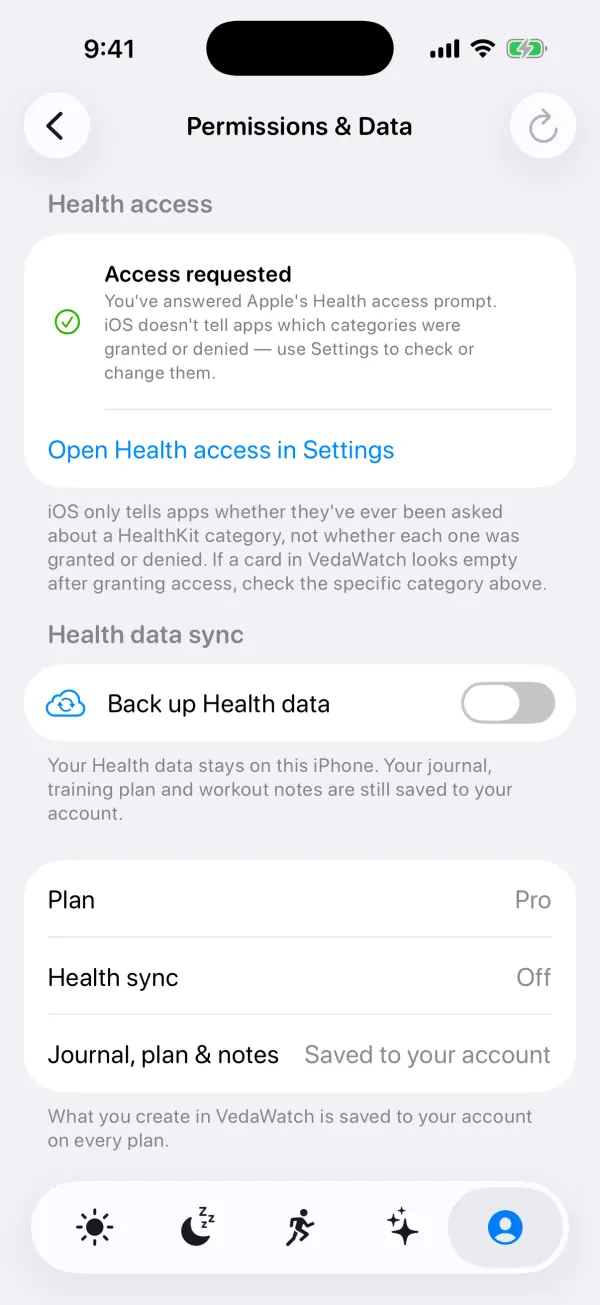
Apple Health data only reaches VedaWatch's servers if you turn on cloud health sync, which is opt-in and part of VedaWatch Pro ($6.99 a month or $59.99 a year on the US App Store, as of November 2026). With sync off, assistants can still see your journal, meals and plans, but no new Apple Health data. To stop an assistant's access, remove the VedaWatch connector in the assistant's settings. The full setup is in our guide to connecting Claude, ChatGPT or Gemini.
Frequently asked questions
Is MCP only for Claude?
No. Anthropic created MCP but released it as an open standard, and ChatGPT, developer tools such as Visual Studio Code and Cursor, and many other apps support it. A server built once can work with any assistant that speaks the protocol.
Is an MCP connector the same as an API?
An MCP server usually sits in front of an app's own data or API, but it describes its abilities in a standard way an AI can understand and call. You don't write code to use one; you paste an address and sign in.
Can an AI assistant read my Apple Health data directly through MCP?
Not directly. Apple Health data lives on your iPhone, and an assistant can only reach it through an app that you've allowed to read it and that offers an MCP server. That app decides what it shares and whether your data leaves the phone at all.
Does connecting an MCP server let the assistant train on my health data?
That depends on the assistant's own data settings, not on MCP. Check its privacy controls for whether conversations, including tool results, are used to improve its models.
How do I disconnect an MCP connector?
Remove it in your assistant's connector or app settings, which stops it from making new calls. Removing it doesn't delete data the assistant has already shown in past chats, so delete those conversations too if you want them gone.
Related guides
- How to connect Claude, ChatGPT or Gemini to your Apple Watch health data
- Can AI read Apple Health data? What each kind of tool shares
- Your Apple Health data in VedaWatch: privacy, backup sync, export and deletion
- Ask an AI coach about your Apple Watch data: what VedaWatch's Coach can do
- Best AI fitness coach apps for iPhone and Apple Watch (2026)
Sources & further reading
- Model Context Protocol: What is the Model Context Protocol (MCP)?
- Anthropic: Introducing the Model Context Protocol (November 2024)
- Model Context Protocol: Architecture overview
- Model Context Protocol specification: Tools
- Model Context Protocol specification: Authorization
- Model Context Protocol: Security best practices
- Claude Help Center: Getting started with custom connectors using remote MCP
- OpenAI: Building MCP servers for ChatGPT and API integrations
This guide is educational, not medical advice, and has not been clinically reviewed. VedaWatch is not a medical device. If you have symptoms or concerns about your heart or health, contact a qualified healthcare professional.
Put your trends in perspective.
Explore HRV, sleep, and recovery with VedaWatch on your iPhone.
Download VedaWatch on the App Store →