 VedaWatch
Recovery & Apple Watch
Resting heart rate on Apple Watch: what's high, low, and why it changes
Apple Watch works out your resting heart rate from readings taken while you're still throughout the day, not a single morning check. Here's how to read it, what's normal, and what actually moves the number day to day.
By VedaWatch editorial team · · 6 min read
The short answer
A normal adult resting heart rate is 60-100 bpm, often lower in trained athletes—but your own trend matters more than where you fall in that range. Apple Watch builds a daily resting rate from background readings taken while you're inactive, so a single noisy day usually isn't worth reacting to on its own.
What is resting heart rate?
Resting heart rate (RHR) is how many times your heart beats per minute at rest—distinct from the live heart rate reading you see during a workout, and distinct from HRV, which measures the variation in time between beats rather than the beats themselves.
A lower RHR generally means your heart doesn't have to work as hard to circulate blood, which is why it tends to drop as cardiovascular fitness improves. But RHR is also affected by plenty of things that have nothing to do with fitness—sleep, stress, illness, heat, caffeine, and hydration all move it too.
How Apple Watch calculates it
Apple Watch doesn't wait for a single morning reading. It works out a daily resting rate by correlating background heart rate samples—taken throughout the day whenever you're still—with accelerometer data, so only readings captured during genuine inactivity count toward the figure.
That means the number can keep updating through the day as more qualifying readings come in, and it explains why resting heart rate sometimes differs slightly between Apple Watch and a chest strap or another brand's tracker: each uses its own sampling and calculation approach.
How to check your resting heart rate
You can see it on either device.
- On Apple Watch: open the Heart Rate app to see today's resting rate alongside your walking average.
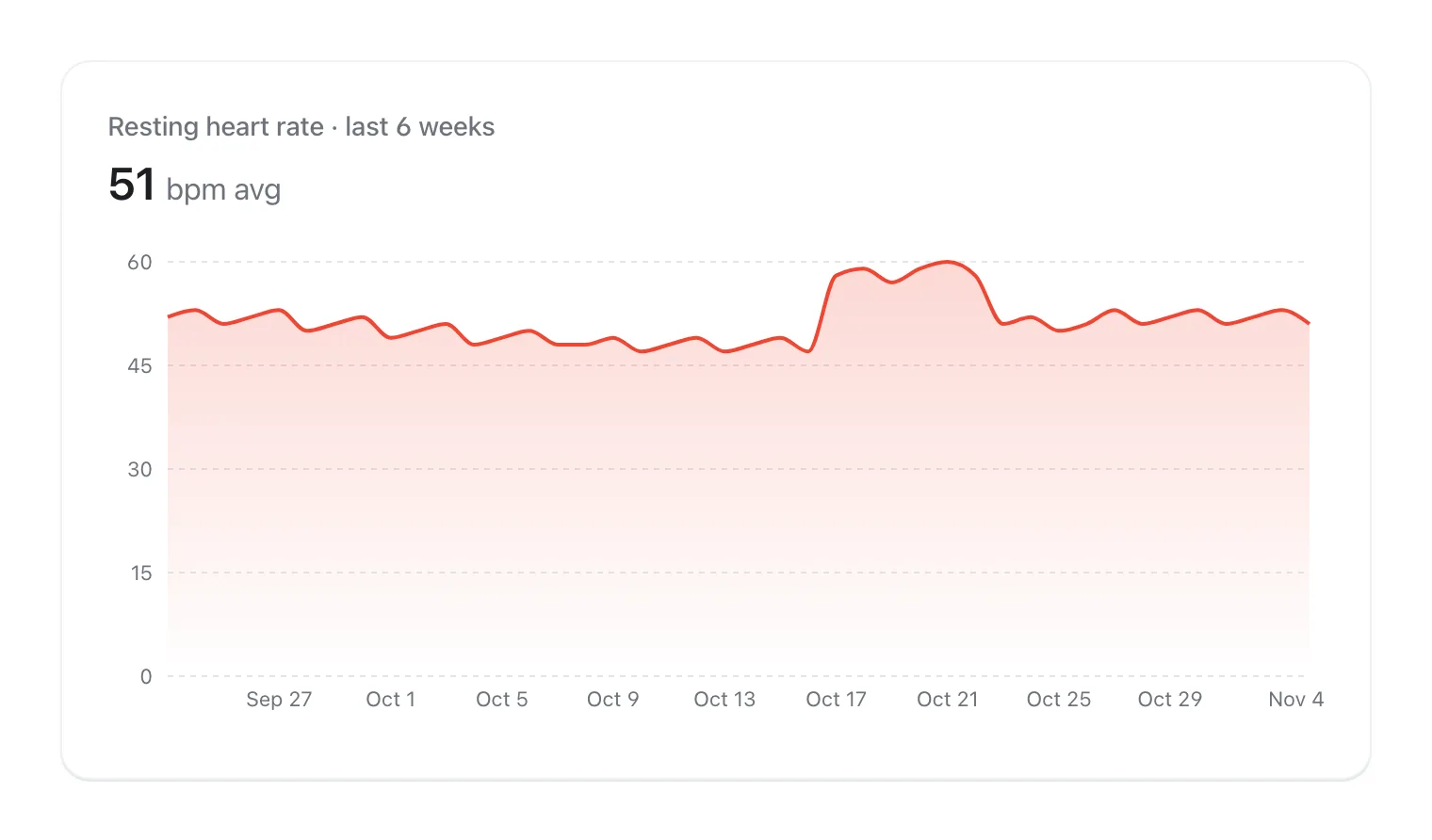
- On iPhone: open the Health app, go to Browse → Heart → Resting Heart Rate, and choose a day, week, month, or year to see the trend.
What counts as a normal resting heart rate
The Mayo Clinic puts the normal resting heart rate range for most adults at 60-100 beats per minute. Well-conditioned athletes often run lower—commonly cited in the 40-60 bpm range—because a stronger heart moves more blood per beat and doesn't need to beat as often.
Where you personally fall in that range matters less than whether your own number is stable. A fit, healthy 48 bpm and a fit, healthy 68 bpm can both be completely normal for different people; day-to-day swings of 5-10 bpm are typical even when nothing is wrong, which is why a single reading rarely justifies a conclusion on its own.
What raises or lowers resting heart rate
Common causes of a temporarily higher RHR: poor or short sleep, illness or fighting off an infection, dehydration, heat, stress or anxiety, alcohol, caffeine, and a recent hard or unusually long workout. Most of these resolve within a few days.
Common causes of a lower RHR: improving cardiovascular fitness over weeks to months, and simply being well-rested and well-recovered. A rate that's unusually low alongside dizziness, fatigue, or fainting is different from a normal low-and-steady athletic resting rate, and is worth discussing with a doctor rather than assuming it's a fitness win.
Set up high and low heart rate notifications
Apple Watch (Series 1 and later) can notify you if your heart rate stays above or below a BPM threshold you choose, including while you've been inactive for at least 10 minutes. This is a general wellness alert, not a diagnosis—treat a notification as a prompt to check in with yourself, not an emergency on its own.
- On iPhone: open the Apple Watch app, tap My Watch, then tap Heart.
- Tap High Heart Rate and choose a BPM threshold; tap Low Heart Rate and choose a BPM threshold.
- Note that these notifications won't fire if Low Power Mode is turned on.
Common questions
Is RHR the same as HRV? No. Resting heart rate counts beats per minute; HRV measures the variation in timing between those beats. A low RHR and good HRV often go together, but they're not interchangeable.
Why is my resting heart rate different on Apple Watch vs. another device? Different brands sample and calculate differently. Compare your own trend within one system rather than the raw number across systems.
Should I worry about one high reading? Generally no—look for a pattern across several days alongside how you feel, sleep, and symptoms, rather than reacting to a single number. Seek medical advice for persistent concerns or if you experience symptoms like dizziness, chest pain, or shortness of breath.
See resting heart rate alongside your full recovery picture
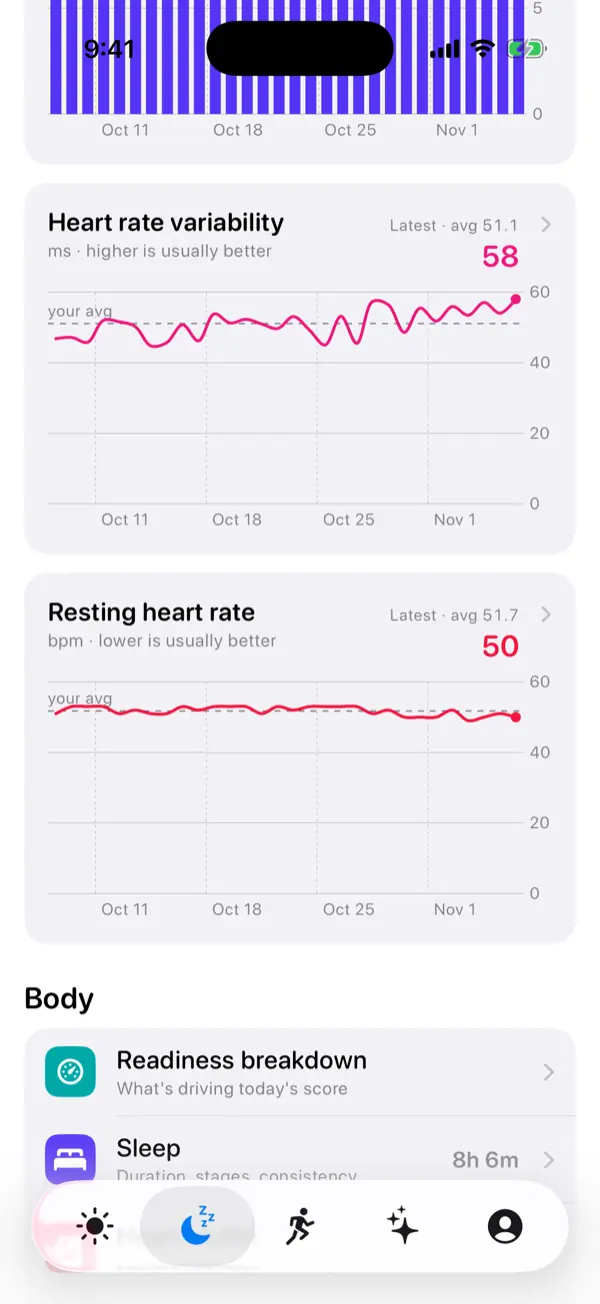
VedaWatch's iPhone Recovery view reads resting heart rate alongside HRV, sleep, and wrist temperature from Apple Health, so a change in one metric shows up next to the rest of the picture instead of in isolation.
With permission, it works off the data your watch already collects. AI coaching is optional, requires your permission to share relevant data for processing, and is subject to your plan's limits.
Sources & further reading
- Mayo Clinic: Heart rate: What's normal?
- Apple Support: Heart health notifications on your Apple Watch
- Apple Support: Monitor your heart rate with Apple Watch
This guide is educational, not medical advice, and has not been clinically reviewed. VedaWatch is not a medical device. If you have symptoms or concerns about your heart or health, contact a qualified healthcare professional.
Put your trends in perspective.
Explore HRV, sleep, and recovery with VedaWatch on your iPhone.
Download VedaWatch on the App Store →