 VedaWatch
Recovery & Apple Watch
How to lower your resting heart rate: what works and how long it takes
Regular endurance exercise is the most reliable way to bring resting heart rate down over time, and sleep, alcohol, and stress explain most short-term swings. Here's what the research shows, how long changes take, and how to track progress on Apple Watch.
By VedaWatch editorial team · · 6 min read
The short answer
Regular endurance exercise lowers resting heart rate most reliably, and yoga helps too. Expect change over weeks to months, not days. Sleep, alcohol, stress, heat, and illness move the number in the short term, so judge progress by monthly averages in Apple Health rather than by any single day.
First: is a lower resting heart rate the right goal?
For most adults, a resting heart rate somewhere in the 60–100 bpm range is normal, and fit people often sit lower. A gradual drop over months usually reflects better fitness, because a stronger heart pumps more blood per beat and needs fewer beats at rest.
Lower isn't automatically better, though. A rate that's low because of medication, or low alongside dizziness, fatigue, or fainting, is a reason to talk to a doctor, not a fitness win. The same goes for a resting rate that stays above 100 bpm. The aim is a healthy trend for you, not the lowest possible number.
What lowers it most: regular endurance exercise
A 2018 meta-analysis pooled nearly 200 controlled exercise studies in healthy adults. Every type of exercise studied tended to lower resting heart rate, but only endurance training and yoga lowered it significantly in both men and women.
Two other findings help set expectations. People who started with a higher resting heart rate saw bigger drops, and older participants saw smaller ones. If you're already fit, or older, progress may be slower and smaller. That's expected.
In practice, that means regular cardio you can keep up: brisk walking, running, cycling, swimming, or rowing on most days of the week. Much of it can be easy, conversational effort. Consistency over months matters more than any single hard session.
How long it takes
Fitness-driven changes in resting heart rate build over weeks to months of regular training. Day-to-day swings of 5–10 bpm are normal and can hide a slow downward trend, so a week or two is too soon to judge.
Compare monthly averages instead. If your average falls by a few beats per minute over two or three months of steady training, that's real progress, even if some individual days look worse.
The habits behind short-term swings
Several everyday factors push resting heart rate up for a day or a few days. Fixing them won't change your fitness, but it removes noise and can bring an elevated number back down.
Short or poor sleep is one of the most common causes of a higher reading the next day. Alcohol, especially in the evening, often raises heart rate overnight and into the next day. Stress, dehydration, hot weather, and large amounts of caffeine can also push it up. A very hard workout can keep it raised for a day or two while you recover.
- Keep a consistent sleep schedule and aim for at least seven hours a night.
- Notice what alcohol does to your next-day reading. Many people see a clear jump.
- Drink enough fluids, especially in heat or after long workouts.
- Include relaxed breathing, yoga, or other ways to wind down if stress is a regular factor.
- Balance hard training days with easy ones, so recovery has time to show up in the numbers.
When a rising resting heart rate means something else
A resting rate that climbs several beats above your normal for a few days, without an obvious reason like a hard training block or poor sleep, can be an early sign that you're getting sick. Easing off training for a few days is often sensible.
Seek medical advice if your resting heart rate stays unusually high or low, or if you have chest pain, shortness of breath, palpitations, dizziness, or fainting. Apple Watch can also notify you if your heart rate stays above or below a threshold you set while you're inactive.
How to track progress on Apple Watch
Apple Watch calculates your resting heart rate from readings taken while you're still during the day, so you don't need to take a morning measurement yourself.
- Open the Health app on iPhone and go to Browse → Heart → Resting Heart Rate.
- Switch to the M (month) or 6M view to see averages, which show training effects far better than the daily view.
- Wear your watch consistently, including during the day, so it has enough still moments to calculate a daily value.
- Compare against your own history only. Different devices calculate resting heart rate differently, so a number from another tracker isn't directly comparable.
Common questions
Does strength training lower resting heart rate? It may help a little, but in the 2018 meta-analysis only endurance training and yoga produced a significant drop in both men and women. Strength training is still valuable for other reasons.
Can I lower my resting heart rate quickly? Not through fitness, which takes weeks to months. But better sleep, less alcohol, and recovering from a hard week or an illness can bring a temporarily raised number back to your normal within days.
Why did my resting heart rate go up when I started training more? A sudden jump in training load can raise it for a while. If it stays higher for more than a week or two, you may need more recovery.
Watch your resting heart rate trend in VedaWatch
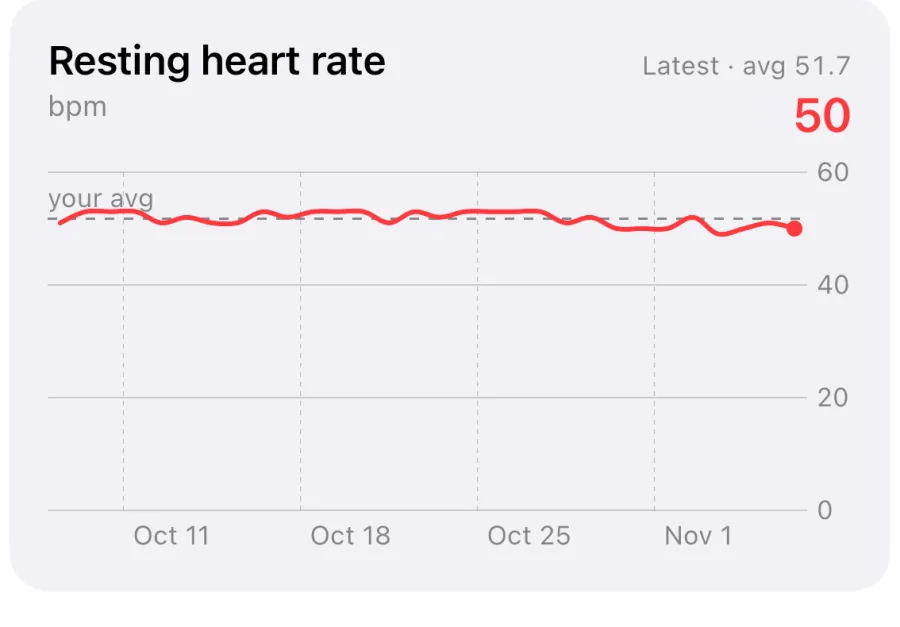
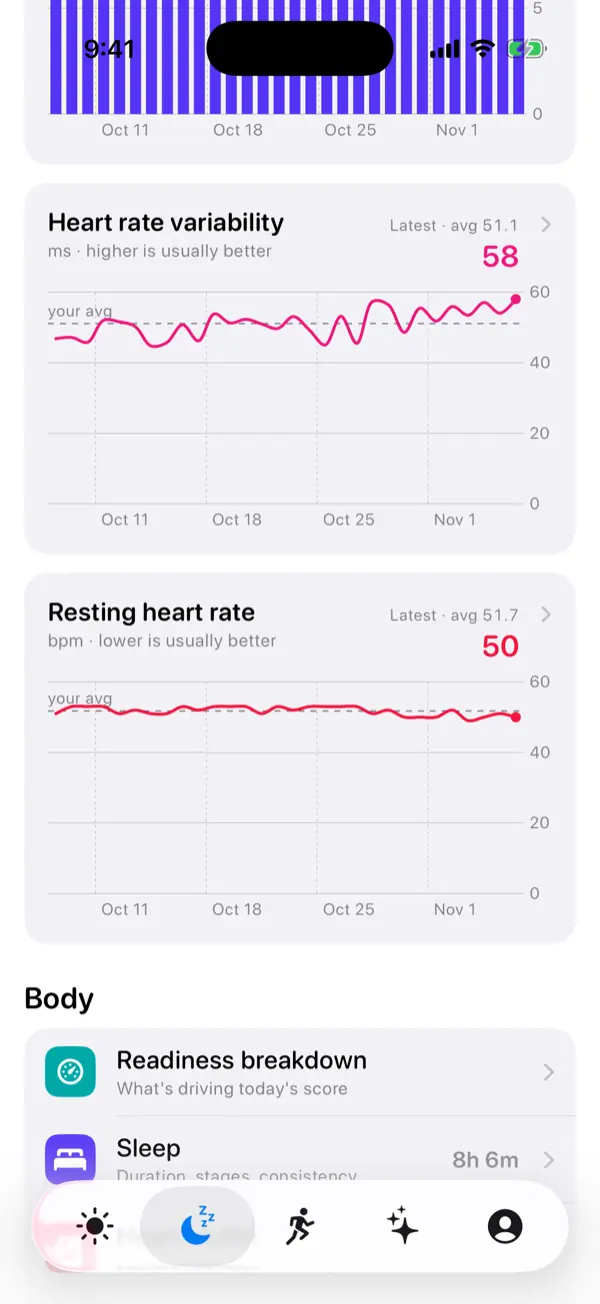
VedaWatch shows your resting heart rate from Apple Health alongside HRV, sleep, wrist temperature, and training load. That makes it easier to see whether a higher reading follows a hard training week, a short night, or something else.
With permission, it reads the data your watch already collects. It can't measure anything your watch didn't record.
Sources & further reading
- Journal of Clinical Medicine (2018): Effects of Exercise on the Resting Heart Rate: A Systematic Review and Meta-Analysis of Interventional Studies (Reimers et al.)
- Mayo Clinic: Heart rate: What's normal?
- Apple Support: Heart health notifications on your Apple Watch
This guide is educational, not medical advice, and has not been clinically reviewed. VedaWatch is not a medical device. If you have symptoms or concerns about your heart or health, contact a qualified healthcare professional.
Put your trends in perspective.
Explore HRV, sleep, and recovery with VedaWatch on your iPhone.
Download VedaWatch on the App Store →