 VedaWatch
Recovery & Apple Watch
Apple Watch Readiness score: what Recover, Pace Yourself, Ready, and Go For It mean
Apple's Readiness score (0-10) turns activity, sleep, and overnight vitals into one of four daily recommendations. Here's what the score measures, which watches support it, and how it compares to VedaWatch's own recovery view.
By VedaWatch editorial team · · 7 min read
The short answer
Readiness is a 0-10 score Apple Watch Series 12 and Ultra 4 compute from your activity, sleep, and overnight vitals compared with your recent baseline. It lands in one of four bands—Recover, Pace Yourself, Ready, or Go For It—and Apple says it's a general wellness feature, not a substitute for professional medical judgment.
What is the Apple Watch Readiness score?
Readiness is a feature Apple introduced in 2026 that scores how prepared your body looks for the day ahead, from 0 to 10. Apple says the score factors in activity, overnight and daytime vitals, and sleep data, then compares recent vitals against your personal baseline.
The score sorts into four bands: Recover (0-1), Pace Yourself (2-4), Ready (5-7), and Go For It (8-10). These are general wellness guidance, not a diagnosis or a training prescription—Apple's own guidance is that Readiness "should not be used as a substitute for professional medical judgment."
How the score is calculated
Three inputs feed the score. Activity: active calories, workout effort ratings, and Training Load data all count, and Apple notes that increased activity can reduce your score while steady or reduced activity raises it—so the score can drop over the course of a hard day.
Overnight and daytime vitals: heart rate, respiratory rate, wrist temperature, HRV, and blood oxygen are analyzed against your recent baseline. Apple says "Higher-than-usual heart rate variability (HRV) can lead to Favorable vitals and a high readiness score," and when vitals read as notably or slightly off, the score goes down.
Sleep: the previous night's sleep score and recent sleep history matter—poor or inconsistent sleep lowers the score. Readiness updates through the day as calories burned, naps, and daytime heart rate change, so it isn't fixed the moment you wake up.
Where to find your Readiness score
You can check it from either device, and the layout is simple on both.
- On Apple Watch: open the Readiness app. Tap the Activity, Vitals, or Sleep tiles to see what's driving today's score.
- On iPhone: open the Fitness app and tap Readiness—you may need to scroll to the bottom of the screen to find it.
Which Apple Watch models support Readiness, and what you need first
Readiness is limited to Apple Watch Series 12 and Apple Watch Ultra 4 for ages 13 and older—Apple hasn't extended it to older Apple Watch models. Before it can produce a score, you need Activity set up, height/weight/age entered under Health Details, and Sleep and Overnight Vitals configured.
The baseline itself needs time: Apple says to wear your watch to bed for at least 7 of the past 49 nights before Readiness has enough history to compare against. Skip a lot of nights and the score has less to work with.
Readiness vs. a third-party recovery score (like VedaWatch's)
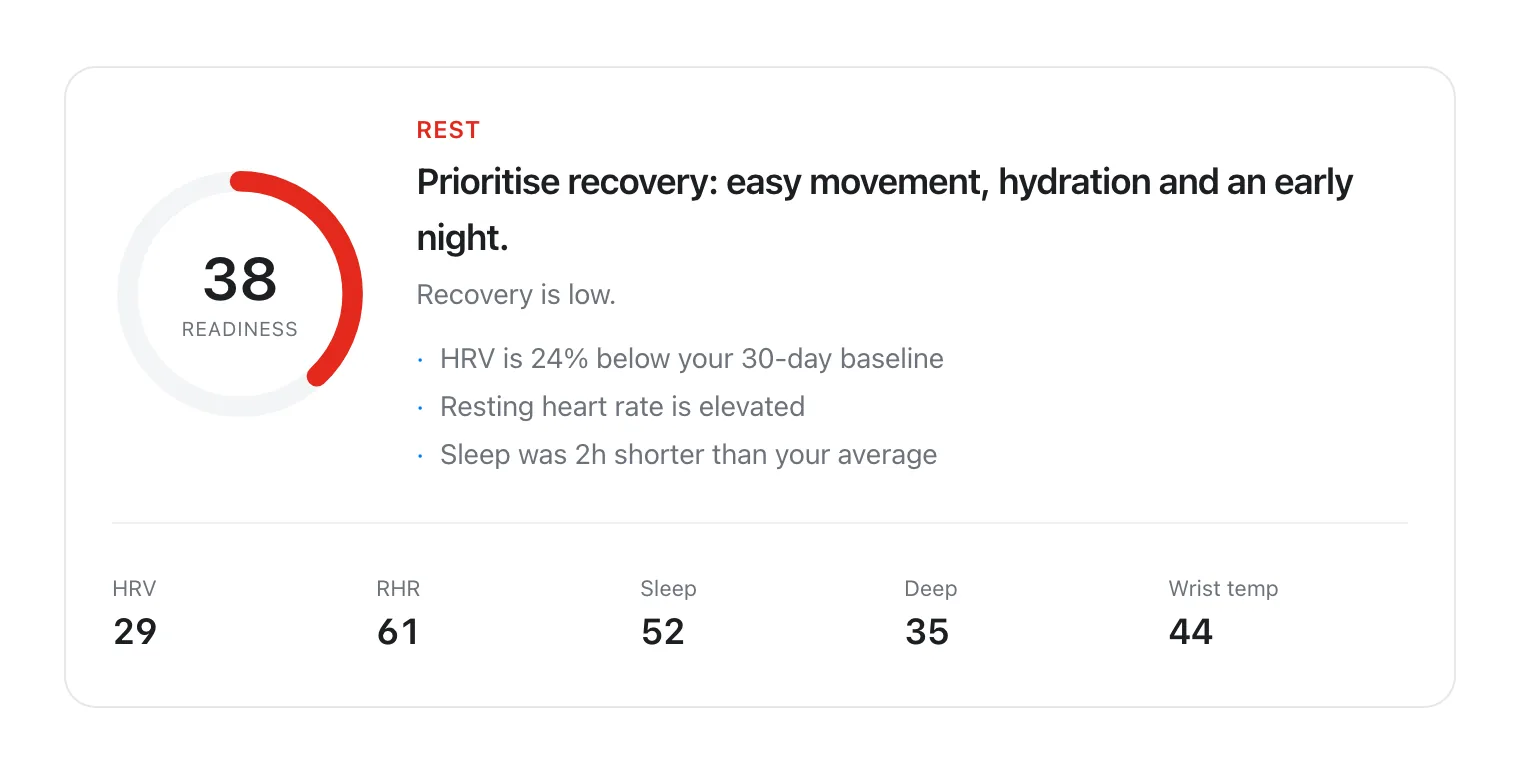
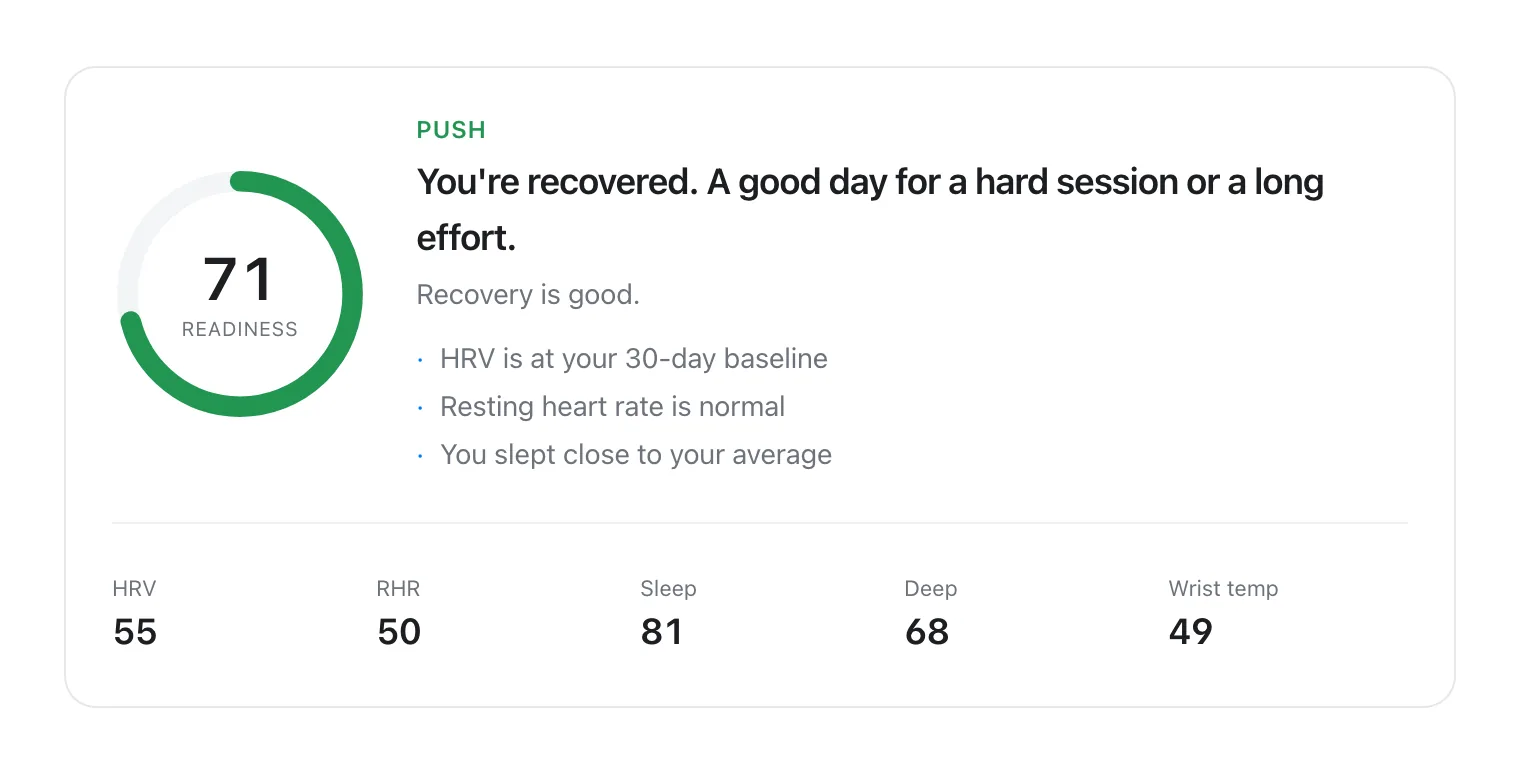
Apple's Readiness and VedaWatch's own recovery view both lean on the same underlying idea—compare today's HRV, resting heart rate, and sleep against your personal history—but they aren't the same score, and you shouldn't expect identical numbers or identical day-to-day swings between them.
The practical difference for most people is hardware. Apple's Readiness app only runs on Apple Watch Series 12 and Ultra 4. VedaWatch computes its own recovery score from the HRV, resting heart rate, sleep, and wrist temperature data any Apple Watch already writes to Apple Health, so it isn't limited to the newest hardware.
Common questions about Apple Watch Readiness
Does a low Readiness score mean I shouldn't work out? Not on its own. Apple explicitly says Readiness "should not be solely relied on to determine whether it is safe to exercise." Weigh it alongside sleep, soreness, and how you actually feel, and consider discontinuing a workout or seeking medical attention if you notice concerning symptoms.
Why don't I have a Readiness app? It ships only on Apple Watch Series 12 and Ultra 4. Older models, including Ultra 3 and SE, don't support it—even on the latest watchOS.
Can Readiness diagnose a health condition? No. Apple calls it "a general wellness feature," and it doesn't account for existing conditions or medications.
Track recovery on any Apple Watch with VedaWatch
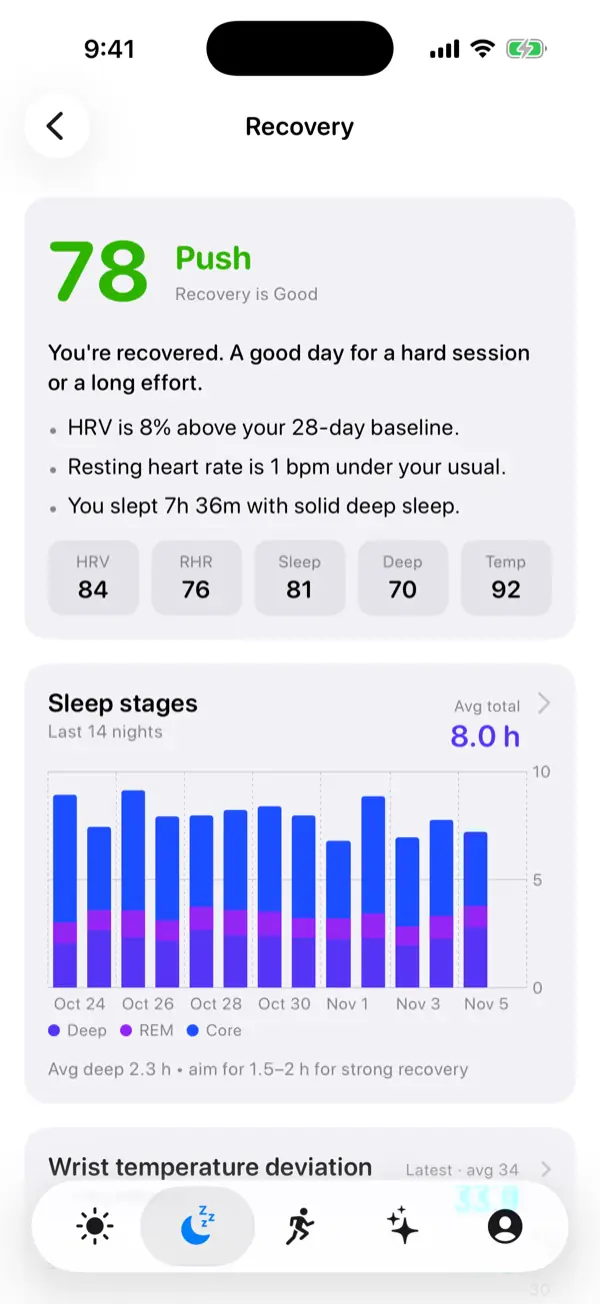
If your watch doesn't support Apple's Readiness app, or you just want a recovery view that explains its reasoning, VedaWatch's iPhone Recovery screen reads the HRV, resting heart rate, sleep, and wrist temperature data already in Apple Health and turns it into a score with the "why" behind it.
With permission, it works off the data your watch already collects—no new hardware required. AI coaching is optional, requires your permission to share relevant data for processing, and is subject to your plan's limits.
Sources & further reading
- Apple Support: Understand your readiness score on Apple Watch
- Apple Support: Use the Readiness app on Apple Watch
This guide is educational, not medical advice, and has not been clinically reviewed. VedaWatch is not a medical device. If you have symptoms or concerns about your heart or health, contact a qualified healthcare professional.
Put your trends in perspective.
Explore HRV, sleep, and recovery with VedaWatch on your iPhone.
Download VedaWatch on the App Store →