 VedaWatch
Workouts & Training
Apple Watch Fitness Awards show the wrong time—here's why
Runners have found their Apple Watch 'fastest 10K' award badge showing a time that doesn't match the workout it supposedly came from. Here's how Awards are actually calculated, why they can diverge from your workout summary, and a more transparent way to track personal records.
By VedaWatch editorial team · · 6 min read
The short answer
Fitness app Awards are a separate badge engine from your workout summary, and in at least one documented case it displayed a faster time than the workout it was tied to actually took. The safest check for any 'fastest' claim—Apple's or a third-party app's—is to open the original workout and read its own distance and duration directly.
What Fitness Awards actually are
Apple's own description: you can earn awards in the Fitness app for personal records, streaks, and major milestones, viewable under the Awards tab on iPhone alongside awards you're still progressing toward.
Awards live in the Fitness app's own badge engine—a layer that runs on top of your workout history, separate from the Workout summary screen you see immediately after finishing an activity on your watch. That separation is exactly where the two can drift apart.
A documented case of Awards not matching the workout
BGR documented a case where a runner's Apple Watch Fitness Award listed a fastest 10K time of 28:03, while the actual workout it was supposedly drawn from showed a total time of 31:02 for the same distance—nearly a three-minute gap between the badge and the workout record it was supposedly based on.
This isn't a one-off typo risk: a badge is a separate, derived piece of data, calculated and stored independently from the workout record itself. If the badge-calculation logic and the workout-summary logic use different inputs or run at different times, they can simply disagree—and nothing in the Fitness app surfaces that disagreement to you.
Why 'fastest' calculations are approximate to begin with
Even before any badge-engine quirk, a 'fastest 5K' or 'fastest 10K' figure depends on an accurate distance measurement, and GPS-based distance has its own real error margin. A peer-reviewed 2020 validation study tested eight sport watches, including an Apple Watch, across runs, walks, and rides in urban, forest, and track settings, and found mean absolute percentage errors of 3.2–6.1% depending on the device and setting—with running producing higher error than walking or cycling for most devices, and accuracy generally worse in urban and forest areas than on open track.
A pace or split figure calculated from a slightly-wrong distance inherits that distance's error. None of this is unique to Apple—it's a property of consumer GPS watches generally, which is worth knowing before treating any single 'fastest' badge as a precise, lab-grade number.
How VedaWatch's Personal Records work instead
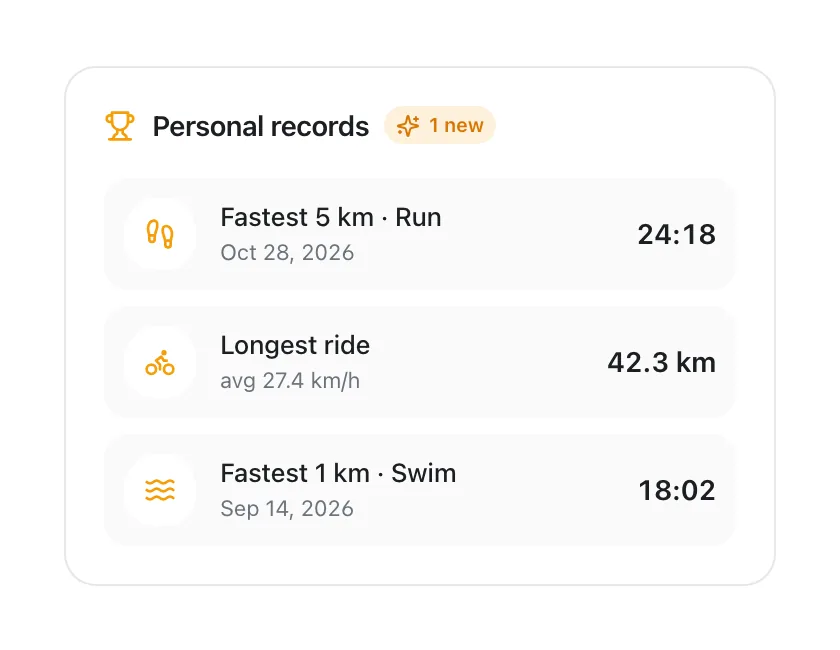
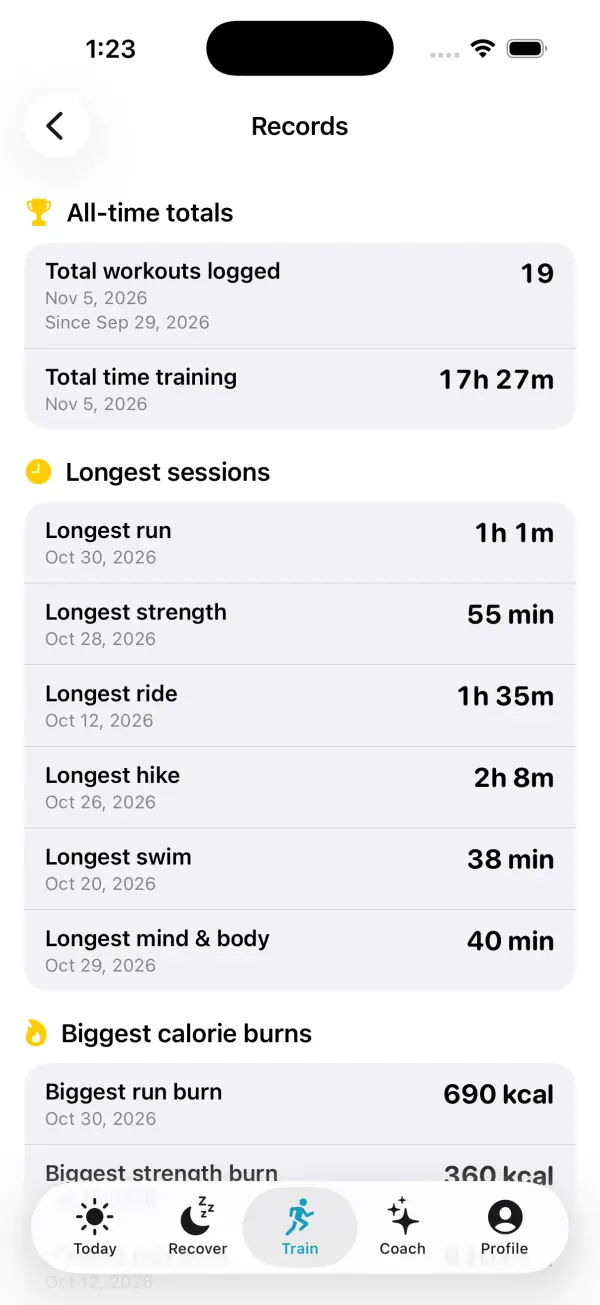
VedaWatch computes Personal Records directly from the same Apple Health workout list visible on your iPhone—not from the Fitness app's separate Awards engine—so every record traces back to one specific, inspectable workout rather than a badge calculated behind the scenes.
For a 'fastest 5K'-style record, without raw GPS split data, VedaWatch finds the single logged workout that best matches that threshold distance and reports its average pace for the full session. That's an honest estimate, not an extracted split—the same practical constraint every app without raw GPS splits runs into. It means a new personal best needs a workout reasonably close to the target distance to register, and the number shown is a whole-workout average, not a timed segment inside a longer run.
What that buys you: consistency. Records are recalculated the same way every time from data you can open and check yourself, and VedaWatch only flags something as a new personal best when it's a genuine change from your last calculation—not an artifact of a resync.
How to sanity-check any 'fastest' claim
If a badge or record looks off in any app, the ground truth is always the individual workout, not the summary badge.
- Open the specific workout in question (in Fitness or VedaWatch) and read its own total distance and duration directly, rather than trusting a derived badge or record screen.
- Divide that distance and duration yourself for a sanity-check pace—it takes seconds and sidesteps whatever calculation produced the badge.
- Treat watch-reported 'fastest' figures as estimates unless you ran a course with a known, measured distance (a certified race, a track) rather than GPS-estimated distance.
- If an award and a workout clearly disagree, Apple Support (support.apple.com) is the right place to report it—this is a software behavior, not something you can fix from Settings.
Common questions
Is this an Apple Watch hardware problem? No—both the badge calculation and the sensor/GPS error sources described here are software and physics issues, not a defect in a specific watch.
Does VedaWatch's method guarantee accurate personal records? No. Without raw GPS split data, any app—VedaWatch included—estimates a 'fastest 5K'-style record from whichever logged workout best matches that distance, inheriting the GPS distance error described above. The difference is that VedaWatch's number always traces to one specific workout you can reopen and check.
Why does a badge sometimes disappear or reset? Community reports describe Awards disappearing after iOS updates or after Health data resets. These are user reports, not confirmed by Apple, but they fit with Awards being a separately maintained layer on top of your workout data.
Sources & further reading
- BGR: PSA Runners: Your Apple Watch Fitness Awards Might Not Show You Accurate Information For Your Fastest Times
- Apple Support: View your activity awards in Fitness on iPhone
- Apple Support: Track daily activity with Apple Watch
- JMIR mHealth and uHealth (2020): Accuracy of Distance Recordings in Eight Positioning-Enabled Sport Watches: Instrument Validation Study
This guide is educational, not medical advice, and has not been clinically reviewed. VedaWatch is not a medical device. If you have symptoms or concerns about your heart or health, contact a qualified healthcare professional.
Put your trends in perspective.
Explore HRV, sleep, and recovery with VedaWatch on your iPhone.
Download VedaWatch on the App Store →